Chart position — tracked daily by LaunchShots
Screenshot style breakdown
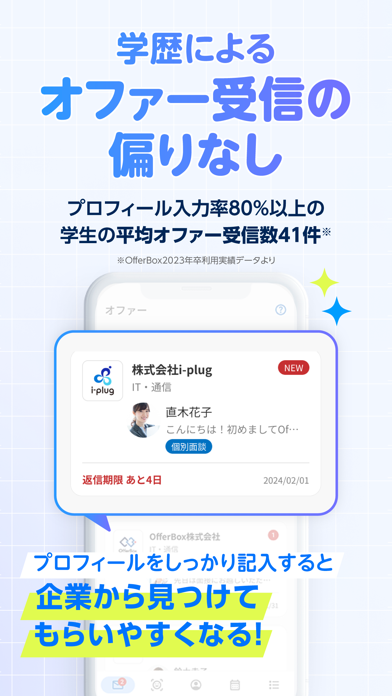
Sampled from 4 of OfferBox 新卒就活オファー・スカウト 27卒/28卒's App Store screenshots — background, accent and theme, measured by LaunchShots (not something Apple publishes).
#F4F4FC bg
#D6D6DD
#E4FC4C accent
#111111 text
Screenshots



Icon palette
About this app
\就活ならOfferBox(オファーボックス)/ 就活サービスOfferBox(オファーボックス)では、ES(エントリーシート)や履歴書では書ききれないあなたの経験や能力を写真・動画・テキストで表現することができ、その経験や能力を必要とする企業からオファー(スカウト)が届く仕組みになっています。 面接や説明会だけでなく、インターンシップや面談、特別選考会のオファーも届くことも。 \就活のこんなお悩みを抱えている方におすすめ/ ・もっとタイパよく就活を進めたい ・1社ずつエントリーするのが負担だと感じている ・学業や部活、サークルを疎かにしないで就活を進めたい ・インターンシップ、面談、特別選考でスムーズな就活をしたい ・自分のやりたい仕事が分からず何となく就活している ・企業情報を見落としていないか不安 ・自分の強みが伝わっているか不安 ・自己分析をもっと深めたい ・就活の軸が定まっていない ・今の就活のやり方はこれで良いのか自信がない ・就活の情報や企業について調べるのが大変 ↓↓↓ \OfferBoxを活用した就活/ 【就活…
App details
What you can learn from OfferBox 新卒就活オファー・スカウト 27卒/28卒
Every shipping app on the App Store has gone through the same decisions you're working through right now: which screenshot goes first, what caption sits over it, which device frame to show, what color the background should be. The 4 screenshots above are OfferBox 新卒就活オファー・スカウト 27卒/28卒's answers to those questions — they're public, they're real, and they made it through Apple's review.
What the numbers say: OfferBox 新卒就活オファー・スカウト 27卒/28卒 runs a light set with one background colour (#F4F4FC) carried across every screenshot — the listing reads as a single poster when the shots sit side by side in search results. The accent colour we picked up, #E4FC4C, is the one to reuse for badges, arrows and highlighted words if you borrow this look. Hit Use this style to open the editor with these exact colours and drop your own screenshot in.
Notice the first screenshot in particular. It's the one users see in search results and on the product page, and it's where most apps spend their best caption and tightest design. Look at the proportion of background to phone, where the text sits, what one thing the image is trying to communicate.
Want to see how other Business apps approach the same problem? Browse more Business apps in the showcase.
Take what works into your own screenshots
Open LaunchShots and design your App Store & Google Play screenshots — pick a device frame, drop captions, ship in minutes. Free, in your browser.
Open the screenshot editor →Apps with a similar look
Closest background + accent colours among the listings we've analysed — useful when you want to see the same palette handled by a different team.