Chart position — tracked daily by LaunchShots
Screenshot changes — detected by LaunchShots
Screenshot style breakdown
Sampled from 6 of MyEdit - 写真加工 & AI画像生成's App Store screenshots — background, accent and theme, measured by LaunchShots (not something Apple publishes).
#040404 bg
#272727
#5C3464 accent
#FFFFFF text
Screenshots




Icon palette
About this app
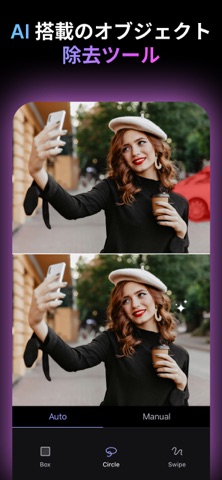
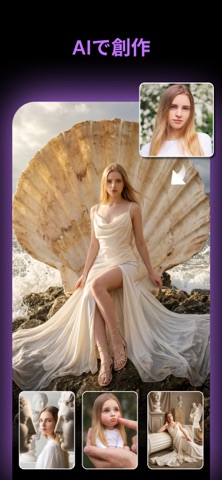
MyEdit - 想像力を解き放つAI 生成 & 写真加工アプリ 写り込んだ人を消したり、新しいヘアスタイルを試したり、自撮りをアート作品に変えたり。必要なのは、写真1枚とワンタップだけ。 MyEditは、何気ない写真を思わずシェアしたくなる動画やポートレート、スタイルへと変える AI アート生成・写真編集アプリです。CyberLink が提供する、PowerDirector や PhotoDirector で培った技術を活かし、Kling や Google Veo をはじめとする最先端の AI モデルを搭載しています。 毎日獲得できる無料クレジットで AI 機能を自由に使えます! ▼AI 削除・置き換え▼ • AI 削除 — 写真の背景に写り込んだ不要な人物・物・文字を瞬時に削除 • AI 置き換え — マジックブラシとテキスト入力で、写真内のあらゆるものを自由に置き換え ▼AI ヘアスタイル・着せ替え・証明写真▼ • AI ヘアスタイル — 40種類以上のトレンドヘアを試して、新しい自分を発見 • AI 着せ替え — 洋服・アクセサリー・帽子など、豊富なアイテムで自由にスタイリング • AI 証明写真 — プロ仕様の服装や背景で…
App details
What you can learn from MyEdit - 写真加工 & AI画像生成
Every shipping app on the App Store has gone through the same decisions you're working through right now: which screenshot goes first, what caption sits over it, which device frame to show, what color the background should be. The 9 screenshots above are MyEdit - 写真加工 & AI画像生成's answers to those questions — they're public, they're real, and they made it through Apple's review.
What the numbers say: MyEdit - 写真加工 & AI画像生成 runs a dark set with one background colour (#040404) carried across every screenshot — the listing reads as a single poster when the shots sit side by side in search results. The accent colour we picked up, #5C3464, is the one to reuse for badges, arrows and highlighted words if you borrow this look. Hit Use this style to open the editor with these exact colours and drop your own screenshot in.
Notice the first screenshot in particular. It's the one users see in search results and on the product page, and it's where most apps spend their best caption and tightest design. Look at the proportion of background to phone, where the text sits, what one thing the image is trying to communicate.
Want to see how other Graphics & Design apps approach the same problem? Browse more Graphics & Design apps in the showcase.
Take what works into your own screenshots
Open LaunchShots and design your App Store & Google Play screenshots — pick a device frame, drop captions, ship in minutes. Free, in your browser.
Open the screenshot editor →Apps with a similar look
Closest background + accent colours among the listings we've analysed — useful when you want to see the same palette handled by a different team.