launchshots / showcase / developer tools / device monitor z: cpu x ram os

Device Monitor Z: CPU x RAM OS

Developer Tools 4.5 (13) Gratis 4+ 38.8 MB

Chart position — tracked daily by LaunchShots

#40 of 100
Top Free Developer Tools · Italy
best #40 · 3 days tracked · as of Sep 21
▲ 56 / 7d
#62 of 100
Top Free Developer Tools · Indonesia
best #57 · 2 days tracked · as of Aug 30
— / 7d
#63 of 100
Top Free Developer Tools · Germany
best #63 · 2 days tracked · as of Sep 20
▲ 30 / 7d
#77 of 100
Top Free Developer Tools · Argentina
best #77 · 1 day tracked · as of Sep 6
— / 7d
#78 of 100
Top Free Developer Tools · Mexico
best #78 · 3 days tracked · as of Sep 13
— / 7d
+ 2 more charts

Screenshot changes — detected by LaunchShots

Aug 24, 2026
Device Monitor Z: CPU x RAM OS added 4 iPhone screenshots (6 → 10); moved to captions above the phone (was full-bleed screens without captions).

Screenshot style breakdown

Sampled from 6 of Device Monitor Z: CPU x RAM OS's App Store screenshots — background, accent and theme, measured by LaunchShots (not something Apple publishes).

Use this style →
10 iPhone screenshots · 10 iPad Dark theme One background colour across the set
#0C042C bg #2E2749 #7C0C84 accent #FFFFFF text
vs. Developer Tools apps we've analysed (1203): 39% use a light theme — Device Monitor Z: CPU x RAM OS goes dark; 33% put the caption above the phone (same here); the average set has 5.5 screenshots — Device Monitor Z: CPU x RAM OS ships 10. Full Developer Tools benchmark →

Screenshots

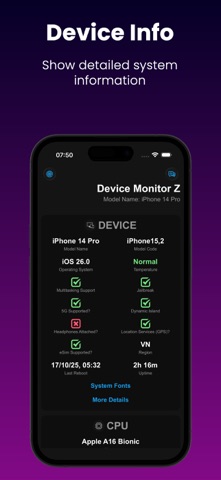
#1 Device Monitor Z: CPU x RAM OS iPhone screenshot 1
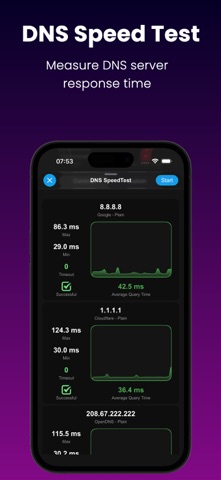
#2 Device Monitor Z: CPU x RAM OS iPhone screenshot 2
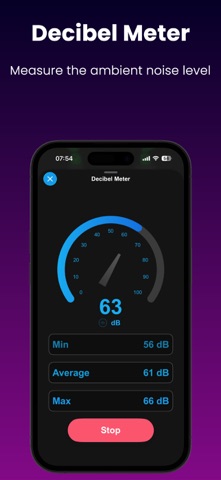
#3 Device Monitor Z: CPU x RAM OS iPhone screenshot 3
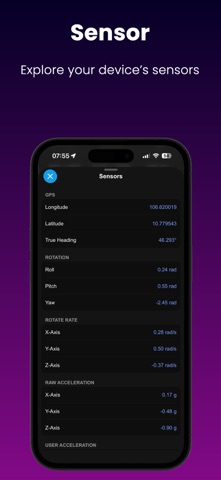
#4 Device Monitor Z: CPU x RAM OS iPhone screenshot 4
#5 Device Monitor Z: CPU x RAM OS iPhone screenshot 5
#6 Device Monitor Z: CPU x RAM OS iPhone screenshot 6
#7 Device Monitor Z: CPU x RAM OS iPhone screenshot 7
#8 Device Monitor Z: CPU x RAM OS iPhone screenshot 8
#9 Device Monitor Z: CPU x RAM OS iPhone screenshot 9
#10 Device Monitor Z: CPU x RAM OS iPhone screenshot 10

iPad screenshots

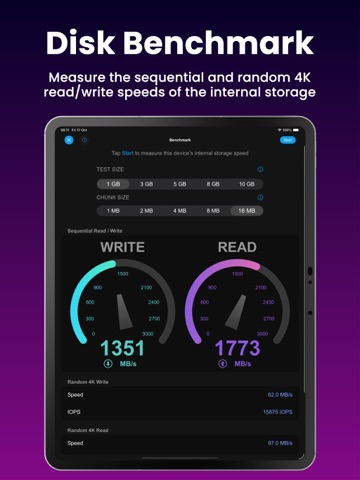
#1 Device Monitor Z: CPU x RAM OS iPad screenshot 1
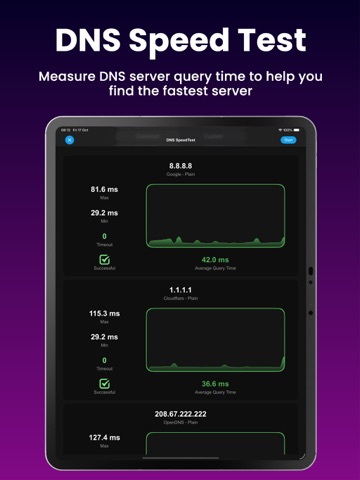
#2 Device Monitor Z: CPU x RAM OS iPad screenshot 2
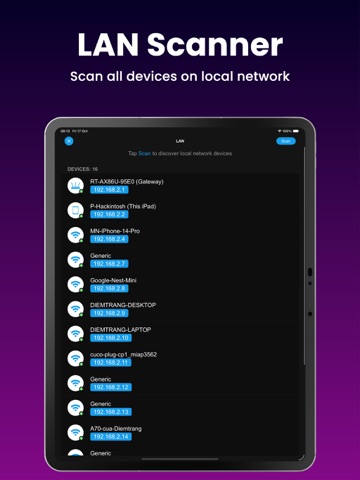
#3 Device Monitor Z: CPU x RAM OS iPad screenshot 3
#4 Device Monitor Z: CPU x RAM OS iPad screenshot 4
#5 Device Monitor Z: CPU x RAM OS iPad screenshot 5
#6 Device Monitor Z: CPU x RAM OS iPad screenshot 6
#7 Device Monitor Z: CPU x RAM OS iPad screenshot 7
#8 Device Monitor Z: CPU x RAM OS iPad screenshot 8
#9 Device Monitor Z: CPU x RAM OS iPad screenshot 9
#10 Device Monitor Z: CPU x RAM OS iPad screenshot 10

Icon palette

extracting…
Dominant colors sampled from the icon — click any swatch to copy the hex.

About this app

Discover the power of our app - Device Monitor Z (also known as iDevice Monitor) is an app optimized for iPhone, iPod Touch, and iPad users. It provides a quick and efficient way to access activity monitor (CPU monitor, detailed RAM, Storage space, ...) and system information of device. - Key Features: • View basic CPU information and real-time CPU monitor • View basic GPU information. • View basic device information (System status) • View basic OS (Operating System) information • View basic battery information • Check Memory & Disk (RAM & Storage) information details. • Monitor network traffic with real-time upload and download speeds. • Support Quick Actions to run functions quickly from Home Screen • Access camera information. • Access display information. • Check supported sensors - Support Widget to display device information such as RAM/Disk/CPU/Battery/Network info: • iOS 14 H…

App details

Bundle ID
com.itpropmn07.Device-Monitor
Latest version
26.1.1
Released
Jul 13, 2023
Last updated
Mar 22, 2026
Languages
5 (EN, FR, DE, IT, ES)
Genres
Ontwikkelaarstools, Diensten

What you can learn from Device Monitor Z: CPU x RAM OS

Every shipping app on the App Store has gone through the same decisions you're working through right now: which screenshot goes first, what caption sits over it, which device frame to show, what color the background should be. The 20 screenshots above are Device Monitor Z: CPU x RAM OS's answers to those questions — they're public, they're real, and they made it through Apple's review.

What the numbers say: Device Monitor Z: CPU x RAM OS runs a dark set with one background colour (#0C042C) carried across every screenshot — the listing reads as a single poster when the shots sit side by side in search results. The accent colour we picked up, #7C0C84, is the one to reuse for badges, arrows and highlighted words if you borrow this look. Hit Use this style to open the editor with these exact colours and drop your own screenshot in.

Notice the first screenshot in particular. It's the one users see in search results and on the product page, and it's where most apps spend their best caption and tightest design. Look at the proportion of background to phone, where the text sits, what one thing the image is trying to communicate.

Want to see how other Developer Tools apps approach the same problem? Browse more Developer Tools apps in the showcase.

Take what works into your own screenshots

Open LaunchShots and design your App Store & Google Play screenshots — pick a device frame, drop captions, ship in minutes. Free, in your browser.

Open the screenshot editor →

Apps with a similar look

Closest background + accent colours among the listings we've analysed — useful when you want to see the same palette handled by a different team.

Alaska Hawaiian
#040C34 #740C84
Beatix: DJ Mix & Beat Maker
#0C042C #5C046C
Sleepia Sleep Sounds: Relaxing
#0C0424 #5C1C74
Stable Diffusion-AI画像生成ツール
#1C0424 #5C047C
Inkitt CandyJar: TV & Shorts
#140424 #841CAC
Swoop Reels: Short Drama TV
#140C1C #6C2C8C

More Developer Tools apps

Latest from the blog

ASO
Screenshot Mistakes That Quietly Cost Installs: 10 Fixes
Sep 23, 2026
Guides
Claude Code Weekly Limit vs 5-Hour Lockout: Complete Usage & Reset Guide
Sep 22, 2026
Guides
When Does Claude Code Usage Reset? Complete Reset Schedule Guide
Sep 22, 2026
News
Google Play Policy Updates: A Monthly Compliance Routine
Sep 22, 2026
1 / 1
copied