Chart position — tracked daily by LaunchShots
Screenshot style breakdown
Sampled from 6 of 英語漬け 英検®対策 英単語・単語帳・リスニング・英作文's App Store screenshots — background, accent and theme, measured by LaunchShots (not something Apple publishes).
#046C34 bg
#278050
#FCD434 accent
#FFFFFF text
Reading the caption text from the screenshots in your browser…
Screenshots




iPad screenshots


Icon palette
About this app
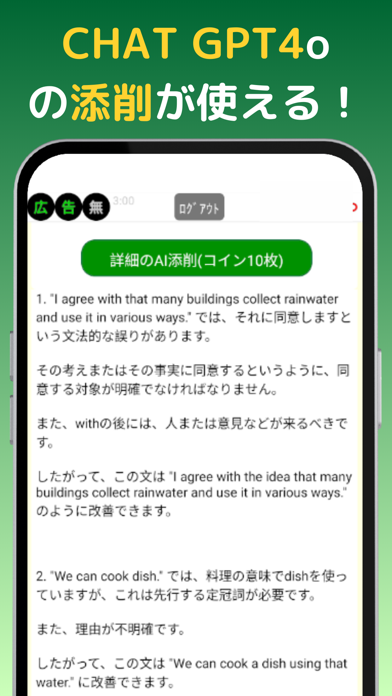
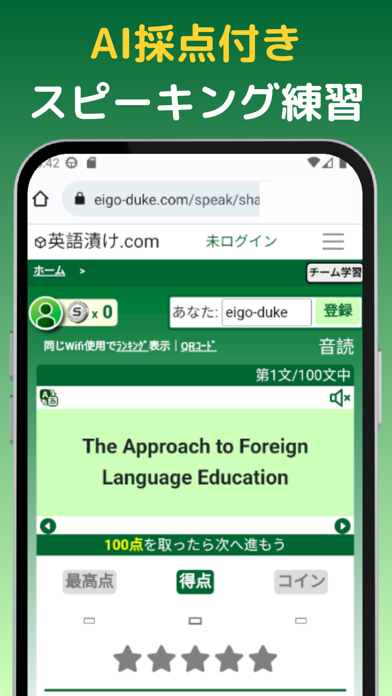
無料ですべての学習機能を使えます。 英検®合格率、一般平均の2倍以上。 準1級 約60% / 2級 約70% / 準2級 約80% 単語・リスニング・ライティング・面接まで、このアプリ1つで合格へ。 ※合格率は2024〜2026年 第1回一次試験・自社調べ(n=1,000以上) 本アプリは広告収益によって運営されています。広告が出ます。 ただし3日連続で100問以上学習すると、広告は激減します。 【なぜ合格率が上がるのか】 英検®は、単語とライティングの配点比率が高い試験です。 英語漬けなら「単語を覚える、問題を解く、ライティングを書く」という、得点に直結する順序でそのまま学習できます。 【主な機能】 ・忘れない単語学習 単語は「くり返し思い出す」ことで定着します。間違えた単語は自動で再出題。忘却曲線に沿って復習のタイミングをアプリが管理するので、覚えることだけに集中できます。 ・リスニング練習 試験に出る英文・トピックで、聞き流しから音読、シャドーイングまで。収録音声は100時間以上。 ・AI採点付きライティング 書いた英作文がその場で自動添削…
App details
What you can learn from 英語漬け 英検®対策 英単語・単語帳・リスニング・英作文
Every shipping app on the App Store has gone through the same decisions you're working through right now: which screenshot goes first, what caption sits over it, which device frame to show, what color the background should be. The 12 screenshots above are 英語漬け 英検®対策 英単語・単語帳・リスニング・英作文's answers to those questions — they're public, they're real, and they made it through Apple's review.
What the numbers say: 英語漬け 英検®対策 英単語・単語帳・リスニング・英作文 runs a mixed light-and-dark set where the background shifts from screenshot to screenshot (first shot #046C34) — each image has to stand on its own, so the captions carry more of the story. The accent colour we picked up, #FCD434, is the one to reuse for badges, arrows and highlighted words if you borrow this look. Hit Use this style to open the editor with these exact colours and drop your own screenshot in.
Notice the first screenshot in particular. It's the one users see in search results and on the product page, and it's where most apps spend their best caption and tightest design. Look at the proportion of background to phone, where the text sits, what one thing the image is trying to communicate.
Want to see how other Education apps approach the same problem? Browse more Education apps in the showcase.
Take what works into your own screenshots
Open LaunchShots and design your App Store & Google Play screenshots — pick a device frame, drop captions, ship in minutes. Free, in your browser.
Open the screenshot editor →Apps with a similar look
Closest background + accent colours among the listings we've analysed — useful when you want to see the same palette handled by a different team.