Chart position — tracked daily by LaunchShots
Screenshot changes — detected by LaunchShots
Screenshot style breakdown
Sampled from 6 of 圆周旅迹—旅游出行AI助手智能规划,复制行程攻略地图路线记录's App Store screenshots — background, accent and theme, measured by LaunchShots (not something Apple publishes).
#FCFCFC bg
#DDDDDD
#749CCC accent
#111111 text
Reading the caption text from the screenshots in your browser…
Screenshots


iPad screenshots


Icon palette
About this app
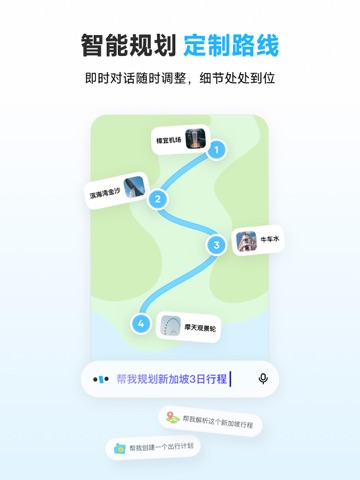
对于即将到来的未知旅程,恐惧和兴奋总是相伴出现。 「圆周旅迹」—旅游出行智能规划,复制行程攻略助手。用简洁、智能的方式助你完成行程规划,消除不确定性并保留惊喜。 —— 你关心的功能 —— 【轻松复刻全网出游攻略】一键抄作业 发现or看到喜欢的攻略,不管是链接/图片还是文字, 即刻丢进圆周旅迹,智能解析提取行程地点, 勾选后自动生成最优路线,不必费心整理,旅行抄作业蛮有一套。 【智能规划定制旅行路线】不止规划,细节也到位 挑几个想去的目的地,定好起点和终点, 点击一键规划,马上生成最合理的行程路线, 地图导览更直观,天气状况交通信息自动补全。 说走就走,不浪费每一刻的自由。 【行程调整随心,好友共同编辑】一起改,超合拍 创建行程后,邀请同行好友共同编辑协作, 多人可同时添加景点、标注备注、调整路线。 做旅行计划不再靠截图轰炸, 每个人的灵感都能实时融入行程规划中。 【附近地点精选推荐】这附近,是真的有点东西。 打开每日行程,根据你的停留地点与时间, 悄悄推荐附近的小店和隐秘打卡点。 不一定是最热的,却可能是…
App details
What you can learn from 圆周旅迹—旅游出行AI助手智能规划,复制行程攻略地图路线记录
Every shipping app on the App Store has gone through the same decisions you're working through right now: which screenshot goes first, what caption sits over it, which device frame to show, what color the background should be. The 16 screenshots above are 圆周旅迹—旅游出行AI助手智能规划,复制行程攻略地图路线记录's answers to those questions — they're public, they're real, and they made it through Apple's review.
What the numbers say: 圆周旅迹—旅游出行AI助手智能规划,复制行程攻略地图路线记录 runs a light set with one background colour (#FCFCFC) carried across every screenshot — the listing reads as a single poster when the shots sit side by side in search results. The accent colour we picked up, #749CCC, is the one to reuse for badges, arrows and highlighted words if you borrow this look. Hit Use this style to open the editor with these exact colours and drop your own screenshot in.
Notice the first screenshot in particular. It's the one users see in search results and on the product page, and it's where most apps spend their best caption and tightest design. Look at the proportion of background to phone, where the text sits, what one thing the image is trying to communicate.
Want to see how other Travel apps approach the same problem? Browse more Travel apps in the showcase.
Take what works into your own screenshots
Open LaunchShots and design your App Store & Google Play screenshots — pick a device frame, drop captions, ship in minutes. Free, in your browser.
Open the screenshot editor →Apps with a similar look
Closest background + accent colours among the listings we've analysed — useful when you want to see the same palette handled by a different team.