Screenshot changes — detected by LaunchShots
Screenshot style breakdown
Sampled from 5 of KPSS Tarih Sorular 2026's App Store screenshots — background, accent and theme, measured by LaunchShots (not something Apple publishes).
#FCFCFC bg
#DDDDDD
#7C9CCC accent
#111111 text
Reading the caption text from the screenshots in your browser…
Screenshots


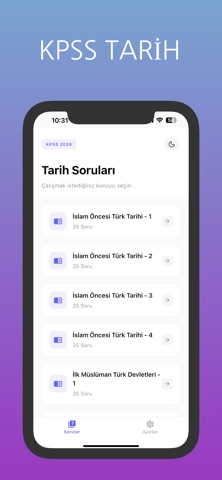


iPad screenshots


Icon palette
About this app
KPSS Tarih - Başarının Anahtarı 2026 KPSS sınavına hazırlanan adaylar için tasarlanmış, en kapsamlı tarih soru bankası uygulaması! Binlerce özgün soruyla KPSS hedefine emin adımlarla ilerle. Neden Bu Uygulama? Konu Bazlı Testler Soru - Cevap Kartları Çevrimdışı Çalışma İçerik Kapsamı: - İlk ve Orta Çağ Tarihi - Osmanlı Tarihi (Kuruluş - Yükselme - Duraklama - Gerileme) - Türkiye Cumhuriyeti İnkılap Tarihi - Atatürk İlkeleri - Yakın Dönem Türk ve Dünya Tarihi - Genel Kültür Tarih Soruları Kimlere Uygun? KPSS Lisans adayları KPSS Önlisans adayları KPSS Ortaöğretim adayları ÖABT Tarih adayları Genel kültür gelişimi isteyenler Kullanıcı Dostu Arayüz: Göz yormayan tasarım Kolay navigasyon Hızlı erişim menüleri Karanlık mod desteği Ücretsiz İçerik: Yüzlerce soruya ücretsiz erişim. GÜVENLIK & GİZLİLİK * Kullanıcı verileriniz korunmaktadır * Reklamlar gözardı edilebilir * Premium seçen…
App details
What you can learn from KPSS Tarih Sorular 2026
Every shipping app on the App Store has gone through the same decisions you're working through right now: which screenshot goes first, what caption sits over it, which device frame to show, what color the background should be. The 9 screenshots above are KPSS Tarih Sorular 2026's answers to those questions — they're public, they're real, and they made it through Apple's review.
What the numbers say: KPSS Tarih Sorular 2026 runs a mixed light-and-dark set where the background shifts from screenshot to screenshot (first shot #FCFCFC) — each image has to stand on its own, so the captions carry more of the story. The accent colour we picked up, #7C9CCC, is the one to reuse for badges, arrows and highlighted words if you borrow this look. Hit Use this style to open the editor with these exact colours and drop your own screenshot in.
Notice the first screenshot in particular. It's the one users see in search results and on the product page, and it's where most apps spend their best caption and tightest design. Look at the proportion of background to phone, where the text sits, what one thing the image is trying to communicate.
Want to see how other Education apps approach the same problem? Browse more Education apps in the showcase.
Take what works into your own screenshots
Open LaunchShots and design your App Store & Google Play screenshots — pick a device frame, drop captions, ship in minutes. Free, in your browser.
Open the screenshot editor →Apps with a similar look
Closest background + accent colours among the listings we've analysed — useful when you want to see the same palette handled by a different team.