Screenshot changes — detected by LaunchShots
Screenshot style breakdown
Sampled from 6 of Saleem سليم's App Store screenshots — background, accent and theme, measured by LaunchShots (not something Apple publishes).
#042C4C bg
#274965
#146CAC accent
#FFFFFF text
Reading the caption text from the screenshots in your browser…
Screenshots



Icon palette
About this app
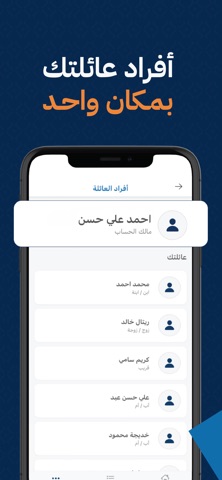
سليم هو تطبيق طبي حديث يسهل الوصول إلى الرعاية الصحية المنزلية عالية الجودة في العراق. نوفر منصة شاملة تربط المرضى بمقدمي الرعاية الصحية المؤهلين لتقديم خدمات طبية متنوعة في منازلهم. الميزات الرئيسية للمرضى: حجز الخدمات الطبية المنزلية: احجز مجموعة واسعة من الخدمات الطبية في منزلك: - زيارات الأطباء (أطباء عامون ومتخصصون) - خدمات التمريض المنزلية - جلسات العلاج الطبيعي - الفحوصات المخبرية مع سحب العينات في المنزل - الأشعة والتصوير الطبي (إيكو، دوبلر، ألتراساوند) - فحوصات العيون والعناية بالجروح إدارة الأسرة: أضف أفراد عائلتك واطلب الخدمات لهم بسهولة. إدارة العناوين: احفظ عناوين متعددة لتسليم الخدمات لحجز أسرع. تتبع الطلبات: تابع حالة طلباتك وزياراتك القادمة والسابقة في أي وقت. الدليل الطبي: تصفح المستشفيات والعيادات والصيدليات والمختبرات في بغداد. الميزات الرئيسية لمقدمي الرعاية الصحية: إدارة الزيارات: شاهد وأدر زياراتك المجدولة، حدث حالة الزيارات، وسجل تفاصيل الخدمة. إنشاء الطل…
App details
What you can learn from Saleem سليم
Every shipping app on the App Store has gone through the same decisions you're working through right now: which screenshot goes first, what caption sits over it, which device frame to show, what color the background should be. The 10 screenshots above are Saleem سليم's answers to those questions — they're public, they're real, and they made it through Apple's review.
What the numbers say: Saleem سليم runs a mixed light-and-dark set where the background shifts from screenshot to screenshot (first shot #042C4C) — each image has to stand on its own, so the captions carry more of the story. The accent colour we picked up, #146CAC, is the one to reuse for badges, arrows and highlighted words if you borrow this look. Hit Use this style to open the editor with these exact colours and drop your own screenshot in.
Notice the first screenshot in particular. It's the one users see in search results and on the product page, and it's where most apps spend their best caption and tightest design. Look at the proportion of background to phone, where the text sits, what one thing the image is trying to communicate.
Want to see how other Medical apps approach the same problem? Browse more Medical apps in the showcase.
Take what works into your own screenshots
Open LaunchShots and design your App Store & Google Play screenshots — pick a device frame, drop captions, ship in minutes. Free, in your browser.
Open the screenshot editor →Apps with a similar look
Closest background + accent colours among the listings we've analysed — useful when you want to see the same palette handled by a different team.