Chart position — tracked daily by LaunchShots
Screenshot changes — detected by LaunchShots
Screenshot style breakdown
Sampled from 3 of 话袋AI笔记-卡片笔记、录音总结、AI知识库's App Store screenshots — background, accent and theme, measured by LaunchShots (not something Apple publishes).
#F4FCF4 bg
#D6DDD6
#94FCD4 accent
#111111 text
Screenshots


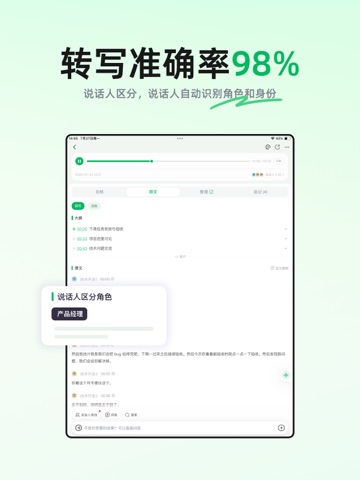
iPad screenshots



Icon palette
About this app
也许你已经习惯了让 AI 写稿、做总结。可在这个时代,真正稀缺的不是生成,而是记录——把一场会、一堂课、一个念头留下来。没有这些来处,再强的 AI 也只是空转。话袋 App 创立的初衷,就是让记录这件事足够轻,并让记下来的东西持续产生复利。手机、电脑、网页多端同步,没网也能先记下来。 一场会开了一个小时。散场之后,桌上往往只剩一段录音。真正要带走的结论、争议、待跟进事项,还埋在里面。工作会议、访谈调研、培训分享、课堂讲座,按下即录。自动语音转文字、划分章节、提炼要点,把一场会变成几分钟能看完的录音总结。不用对着原音频逐句回听,结论一次看清。错过现场也可以导入音视频,一样出转写和总结。适合做会议纪要、课堂笔记、访谈整理。 讲话稿、工作总结、请示、方案,很少对着空白对话框凭空长出来。话袋的 AI 写作主推正式场景下的汇报式文档,提供多种写作模板;公文排版、手写模拟等写作工具也可直接用。口播稿、小红书这类轻量成稿也能写。1分钟内秒成千字稿。 灵感往往来得很轻。地铁上想到一句,课上拍下板书,当时觉得一定记得住。过…
App details
What you can learn from 话袋AI笔记-卡片笔记、录音总结、AI知识库
Every shipping app on the App Store has gone through the same decisions you're working through right now: which screenshot goes first, what caption sits over it, which device frame to show, what color the background should be. The 8 screenshots above are 话袋AI笔记-卡片笔记、录音总结、AI知识库's answers to those questions — they're public, they're real, and they made it through Apple's review.
What the numbers say: 话袋AI笔记-卡片笔记、录音总结、AI知识库 runs a light set with one background colour (#F4FCF4) carried across every screenshot — the listing reads as a single poster when the shots sit side by side in search results. The accent colour we picked up, #94FCD4, is the one to reuse for badges, arrows and highlighted words if you borrow this look. Hit Use this style to open the editor with these exact colours and drop your own screenshot in.
Notice the first screenshot in particular. It's the one users see in search results and on the product page, and it's where most apps spend their best caption and tightest design. Look at the proportion of background to phone, where the text sits, what one thing the image is trying to communicate.
Want to see how other Productivity apps approach the same problem? Browse more Productivity apps in the showcase.
Take what works into your own screenshots
Open LaunchShots and design your App Store & Google Play screenshots — pick a device frame, drop captions, ship in minutes. Free, in your browser.
Open the screenshot editor →Apps with a similar look
Closest background + accent colours among the listings we've analysed — useful when you want to see the same palette handled by a different team.