Chart position — tracked daily by LaunchShots
Screenshot style breakdown
Sampled from 5 of FRU - Tanie loty's App Store screenshots — background, accent and theme, measured by LaunchShots (not something Apple publishes).
#248CDC bg
#429CE0
#043C7C accent
#FFFFFF text
Screenshots

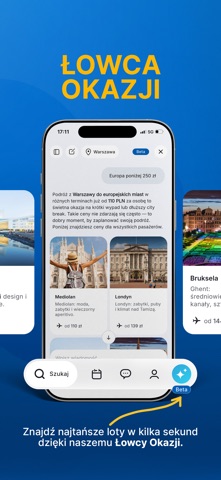

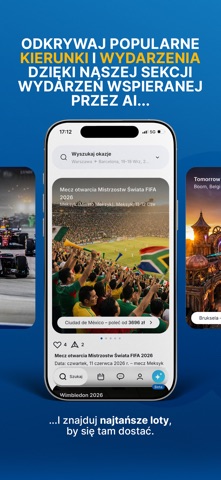

Icon palette
About this app
Chcesz znaleźć najlepszą ofertę lotu w kilka sekund? Aplikacja FRU wykorzystuje sztuczną inteligencję, aby przeszukiwać setki połączeń i pomagać Ci oszczędzać czas oraz pieniądze. Porównujemy ceny wielu linii lotniczych i pokazujemy najbardziej opłacalne opcje dopasowane do Twojej podróży. Naszym celem jest uproszczenie zawiłości w rezerwacjach i zapewnienie Ci sprawdzonych, przejrzystych wyborów, od wyszukiwania aż po finalną rezerwację. Z FRU cały proces jest szybki, intuicyjny i bez stresu. Wyszukuj, porównuj i rezerwuj loty takich linii jak: Wizz Air, Ryanair, LOT, Lufthansa, Air France, KLM, British Airways, Qatar Airways, Emirates, Turkish Airlines i wielu innych – wszystko w jednej aplikacji. Aplikacja FRU powstała z myślą o podróżnikach, którzy: chcą dobrego stosunku ceny do jakości, cenią prostą i płynną rezerwację, szukają naprawdę wyjątkowych okazji. Stworzona przez podróżni…
App details
What you can learn from FRU - Tanie loty
Every shipping app on the App Store has gone through the same decisions you're working through right now: which screenshot goes first, what caption sits over it, which device frame to show, what color the background should be. The 5 screenshots above are FRU - Tanie loty's answers to those questions — they're public, they're real, and they made it through Apple's review.
What the numbers say: FRU - Tanie loty runs a dark set where the background shifts from screenshot to screenshot (first shot #248CDC) — each image has to stand on its own, so the captions carry more of the story. The accent colour we picked up, #043C7C, is the one to reuse for badges, arrows and highlighted words if you borrow this look. Hit Use this style to open the editor with these exact colours and drop your own screenshot in.
Notice the first screenshot in particular. It's the one users see in search results and on the product page, and it's where most apps spend their best caption and tightest design. Look at the proportion of background to phone, where the text sits, what one thing the image is trying to communicate.
Want to see how other Travel apps approach the same problem? Browse more Travel apps in the showcase.
Take what works into your own screenshots
Open LaunchShots and design your App Store & Google Play screenshots — pick a device frame, drop captions, ship in minutes. Free, in your browser.
Open the screenshot editor →Apps with a similar look
Closest background + accent colours among the listings we've analysed — useful when you want to see the same palette handled by a different team.