Chart position — tracked daily by LaunchShots
Screenshot style breakdown
Sampled from 5 of ai荔枝's App Store screenshots — background, accent and theme, measured by LaunchShots (not something Apple publishes).
#FCFCFC bg
#DDDDDD
#84744C accent
#111111 text
Reading the caption text from the screenshots in your browser…
Screenshots
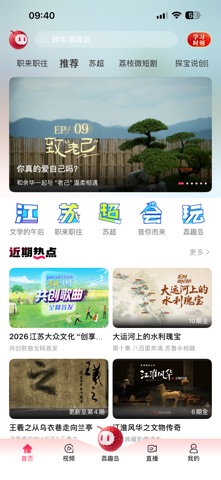

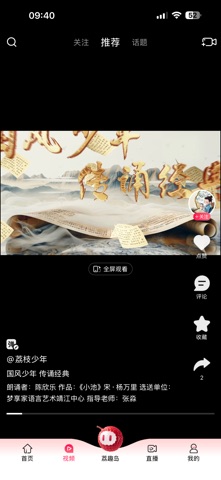
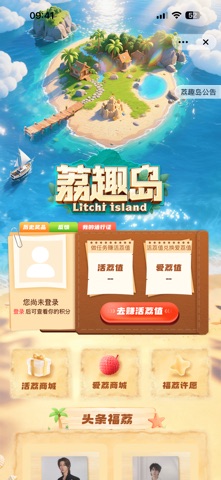
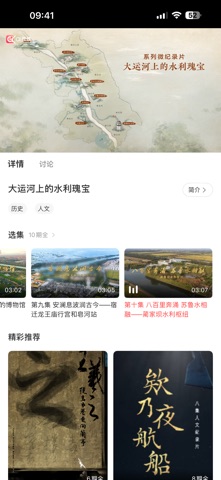
Icon palette
About this app
【江苏广电网络视听平台“ai荔枝”——你可以叫我小荔同学】 先带大家划重点!!! 小荔跨年送福利:下载“ai荔枝”有机会赢取“更好2025江苏卫视跨年演唱会”门票!!玩法多多,惊喜多多!在这里您可以留下新年愿望,参与集赞活动,有机会赢取演唱会门票亲临现场。 小荔跨年专属to签玩法:小荔给大家送福利啦!来“ai荔枝”,人人都能获得跨年演唱会嘉宾的专属“to签海报”!想要知道更多艺人信息,来ai荔枝,小荔和超多专属大礼一起等你。 快来加入小荔明星社区:在跨年专区页加入明星社区,边看跨年演唱会直播边畅聊,分享您的实时感受。 小荔资源多多:在“ai荔枝”,江苏广电王牌节目尽在掌握,让您随时随地享受视听盛宴。 小荔丰富二创:海量影视综短视频,焕发每一瞬光彩,分享每一份独特。 小荔玩转AI:依托先进的AI技术,智能体为您提供个性化推荐,让内容更懂您的喜好。 小荔直通大屏:同步直播海量电视频道,让您不错过任何精彩节目,与现场同步,感受直播的魅力。 小荔等你来升级:作为全新推出的App,“ai荔枝”将不断推出更多定制化内容和创新玩法,丰富您的视听…
App details
What you can learn from ai荔枝
Every shipping app on the App Store has gone through the same decisions you're working through right now: which screenshot goes first, what caption sits over it, which device frame to show, what color the background should be. The 5 screenshots above are ai荔枝's answers to those questions — they're public, they're real, and they made it through Apple's review.
What the numbers say: ai荔枝 runs a mixed light-and-dark set where the background shifts from screenshot to screenshot (first shot #FCFCFC) — each image has to stand on its own, so the captions carry more of the story. The accent colour we picked up, #84744C, is the one to reuse for badges, arrows and highlighted words if you borrow this look. Hit Use this style to open the editor with these exact colours and drop your own screenshot in.
Notice the first screenshot in particular. It's the one users see in search results and on the product page, and it's where most apps spend their best caption and tightest design. Look at the proportion of background to phone, where the text sits, what one thing the image is trying to communicate.
Want to see how other Entertainment apps approach the same problem? Browse more Entertainment apps in the showcase.
Take what works into your own screenshots
Open LaunchShots and design your App Store & Google Play screenshots — pick a device frame, drop captions, ship in minutes. Free, in your browser.
Open the screenshot editor →Apps with a similar look
Closest background + accent colours among the listings we've analysed — useful when you want to see the same palette handled by a different team.