Screenshots



Icon palette
About this app
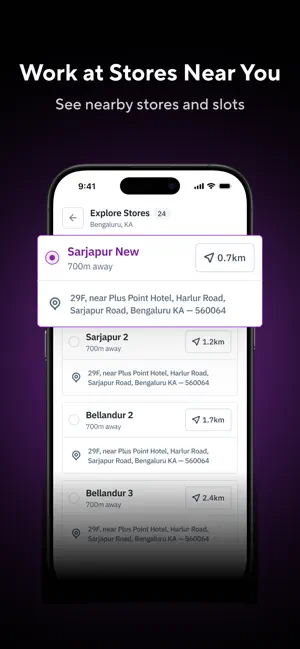
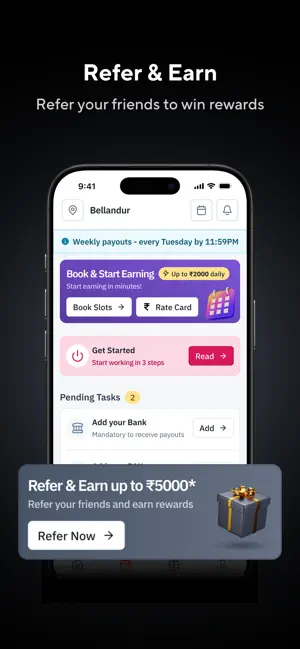
Zepto Packman is the official workforce app for Zepto — India's leading quick-commerce platform. Whether you're looking for a stable full-time role or flexible part-time hours that fit your schedule, Packman makes it easy to join, work, and earn. - Get Started in Minutes: Sign up with your phone number, upload your documents (Aadhaar & PAN), choose your city, and start working — all from your phone. No paperwork, no office visits. - Choose How You Work: Full-Time: Regular 9-hour shifts with fixed schedules, insurance coverage, and stable monthly income. - Flex / Part-Time: Book 2, 4, or 8-hour slots at stores near you. Perfect for students, side hustlers, or anyone who wants flexible hours. - Book Slots & Start Earning: Browse available slots at nearby stores, book instantly, and start earning. View real-time slot availability, manage waitlists, and plan your week ahead. - Trac…
App details
What you can learn from Zepto Packman
Every shipping app on the App Store has gone through the same decisions you're working through right now: which screenshot goes first, what caption sits over it, which device frame to show, what color the background should be. The 5 screenshots above are Zepto Packman's answers to those questions — they're public, they're real, and they made it through Apple's review.
Notice the first screenshot in particular. It's the one users see in search results and on the product page, and it's where most apps spend their best caption and tightest design. Look at the proportion of background to phone, where the text sits, what one thing the image is trying to communicate.
Want to see how other Business apps approach the same problem? Browse more Business apps in the showcase.
Take what works into your own screenshots
Open LaunchShots and design your App Store & Google Play screenshots — pick a device frame, drop captions, ship in minutes. Free, in your browser.
Open the screenshot editor →