Screenshots

Icon palette
About this app
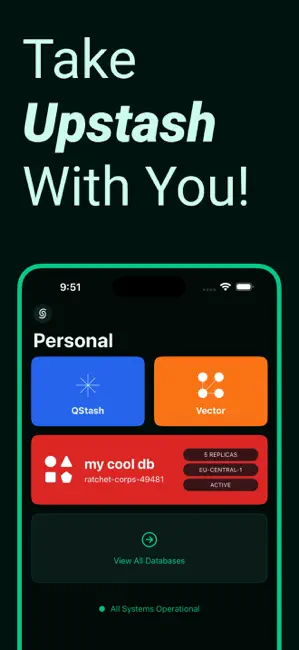
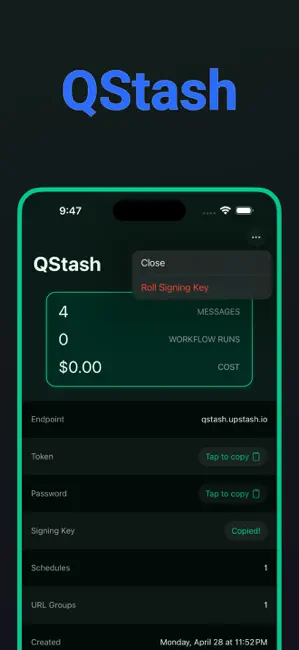
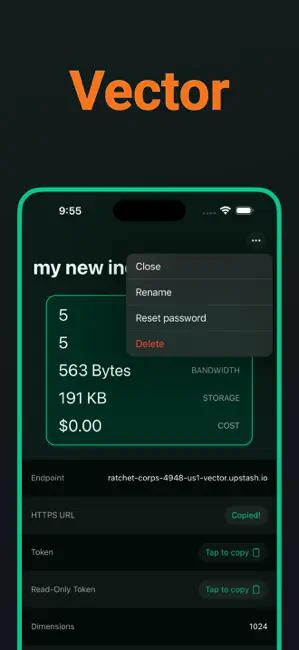
Manage your Upstash Redis, QStash and much more. Bring your serverless journey everywhere you go with Stash! ▲ REDIS - Usage Stats - Browse All Databases - Add or Remove Records - Edit Records ▲ QSTASH - Usage Stats - Browse Schedules - Browse URL Groups ▲ VECTOR - Usage Stats - Browse All Indices - Add or Remove Records - Edit Records That’s it folks! This text isn't gonna get any more interesting. I mean, I think we've pretty much covered all the good stuff. Still here? Ummmm, ok. How's everything? Good? Cool cool cool. What are you looking for? The app description is over. For real, check out the app. It's way better than hanging out in the App Store this long. Wow, you're dedicated. Do you just love app descriptions? Weird. OK, we're gonna go now. Bye. NOTICE & ACKNOWLEDGMENT 1. API tokens are stored locally on your device, and never leave it. 2. Stash is OSS (Open Sourc…
App details
What you can learn from Upstash Redis & QStash — Stash
Every shipping app on the App Store has gone through the same decisions you're working through right now: which screenshot goes first, what caption sits over it, which device frame to show, what color the background should be. The 4 screenshots above are Upstash Redis & QStash — Stash's answers to those questions — they're public, they're real, and they made it through Apple's review.
Notice the first screenshot in particular. It's the one users see in search results and on the product page, and it's where most apps spend their best caption and tightest design. Look at the proportion of background to phone, where the text sits, what one thing the image is trying to communicate.
Want to see how other Developer Tools apps approach the same problem? Browse more Developer Tools apps in the showcase.
Take what works into your own screenshots
Open LaunchShots and design your App Store & Google Play screenshots — pick a device frame, drop captions, ship in minutes. Free, in your browser.
Open the screenshot editor →