Chart position — tracked daily by LaunchShots
Screenshot changes — detected by LaunchShots
Screenshot style breakdown
Sampled from 6 of 文字起こしさん: 音声入力でテキスト変換、議事録、音声メモに's App Store screenshots — background, accent and theme, measured by LaunchShots (not something Apple publishes).
#FCF4EC bg
#DDD6CF
#14344C accent
#111111 text
Reading the caption text from the screenshots in your browser…
Screenshots



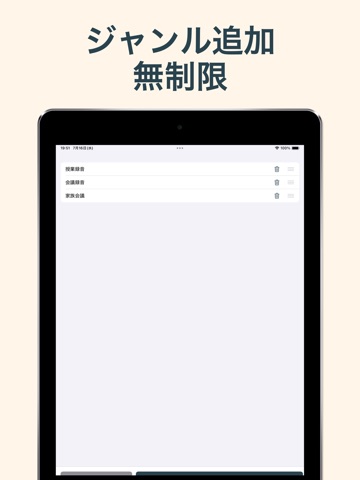
iPad screenshots




Icon palette
About this app
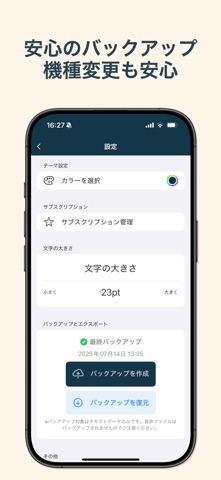
広告なしで、録音・文字起こしを時間無制限で利用できる、安心の日本製アプリ「文字起こしさん」。録音ボタンを押すだけで、AIが音声を高精度に文字化します。授業・会議・取材・講演など幅広い場面に対応し、議事録や学習メモもすばやく作成できます。基本機能は無料で、一部の追加機能のみ有料です。 広告なしで無料のままお使いいただけます。アカウント登録不要、すぐに無料で文字起こしを開始できます。 2026年10月よりAI処理にかかる費用は大幅に上昇(1年前の10倍)しますが、その負担を皆様に転嫁せず、広告なし・無料・録音時間無制限で使える環境を守れるよう、運営者としてできる限り踏ん張ってまいります。 (学生の節約生活にはさらに拍車がかかりそうですが、知恵と工夫で、踏ん張ってみます……!) この物価高を皆様と共に、乗り越えたいと考えております...!! (私は学食のオフピーク割/図書館開発の固定費削減で乗り切ってみせます...!) 【主な機能】 ・ワンタップ録音:アプリを開いてすぐ録音開始。 ・高精度AI文字起こし:録音終了後に自動テキス…
App details
What you can learn from 文字起こしさん: 音声入力でテキスト変換、議事録、音声メモに
Every shipping app on the App Store has gone through the same decisions you're working through right now: which screenshot goes first, what caption sits over it, which device frame to show, what color the background should be. The 12 screenshots above are 文字起こしさん: 音声入力でテキスト変換、議事録、音声メモに's answers to those questions — they're public, they're real, and they made it through Apple's review.
What the numbers say: 文字起こしさん: 音声入力でテキスト変換、議事録、音声メモに runs a light set with one background colour (#FCF4EC) carried across every screenshot — the listing reads as a single poster when the shots sit side by side in search results. The accent colour we picked up, #14344C, is the one to reuse for badges, arrows and highlighted words if you borrow this look. Hit Use this style to open the editor with these exact colours and drop your own screenshot in.
Notice the first screenshot in particular. It's the one users see in search results and on the product page, and it's where most apps spend their best caption and tightest design. Look at the proportion of background to phone, where the text sits, what one thing the image is trying to communicate.
Want to see how other Business apps approach the same problem? Browse more Business apps in the showcase.
Take what works into your own screenshots
Open LaunchShots and design your App Store & Google Play screenshots — pick a device frame, drop captions, ship in minutes. Free, in your browser.
Open the screenshot editor →Apps with a similar look
Closest background + accent colours among the listings we've analysed — useful when you want to see the same palette handled by a different team.