Screenshots



Icon palette
About this app
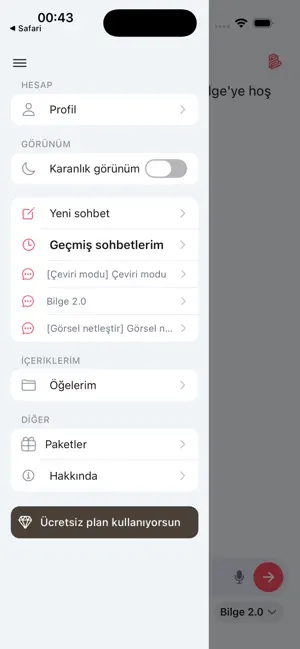
Bilge AI, Türkiye için geliştirilmiş akıllı bir asistan. Türkçe konuşur, seni anlar ve işlerini kolaylaştırır. Soru sor, fikir al ya da eğlenceli sohbet et; Bilge AI her an yanında! Neler Yapabilir? Hızlı Cevaplar: Sorularına anında, doğru yanıtlar verir. Yaratıcı Fikirler: Yazı yaz, plan yap veya yeni fikirler bul. Kolay Kullanım: iPhone'da sorunsuz çalışır. Neden Bilge AI? Bilge AI, Türk kültürüne uygun, samimi ve güvenilir bir yardımcı. Öğrenciler, çalışanlar veya meraklılar için ideal. Verilerin güvende, uygulama her zaman güncel. Türkçe yapay zekâ deneyimi için daha ne bekliyorsun? Hemen Bilge AI’yi indir, akıllı asistanınla tanış! Terms of Use (EULA): https://bilgeai.co/terms
App details
What you can learn from Bilge AI - Türk Yapay Zeka
Every shipping app on the App Store has gone through the same decisions you're working through right now: which screenshot goes first, what caption sits over it, which device frame to show, what color the background should be. The 4 screenshots above are Bilge AI - Türk Yapay Zeka's answers to those questions — they're public, they're real, and they made it through Apple's review.
Notice the first screenshot in particular. It's the one users see in search results and on the product page, and it's where most apps spend their best caption and tightest design. Look at the proportion of background to phone, where the text sits, what one thing the image is trying to communicate.
Want to see how other Productivity apps approach the same problem? Browse more Productivity apps in the showcase.
Take what works into your own screenshots
Open LaunchShots and design your App Store & Google Play screenshots — pick a device frame, drop captions, ship in minutes. Free, in your browser.
Open the screenshot editor →