Screenshot style breakdown
Sampled from 4 of RinoDigi: Tiếng Anh cho trẻ em's App Store screenshots — background, accent and theme, measured by LaunchShots (not something Apple publishes).
#E4443C bg
#E75E57
#0C3494 accent
#FFFFFF text
Screenshots
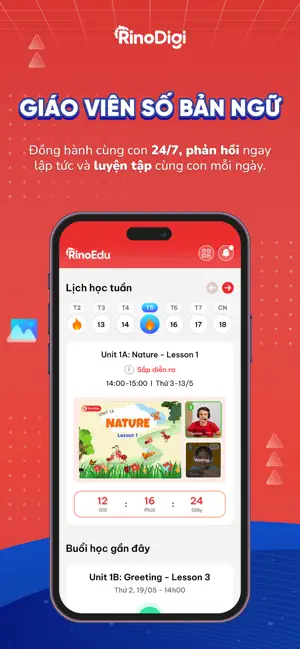

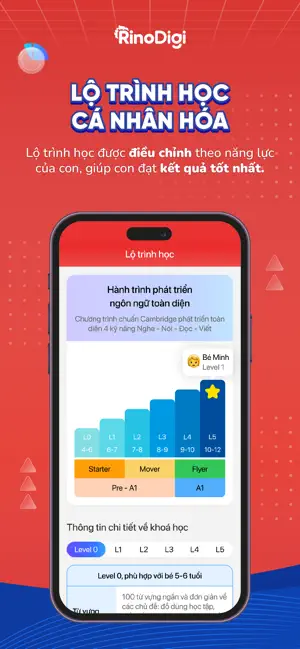
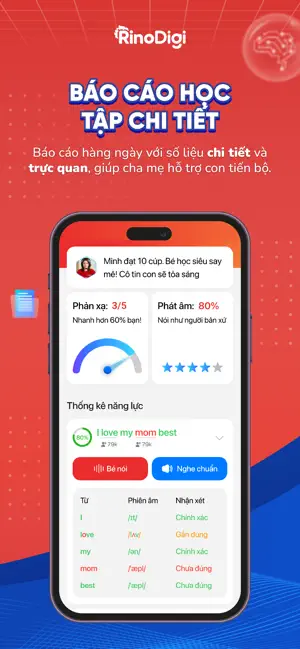
Icon palette
About this app
Rino Digi - Học Tiếng Anh 1:1 với giáo viên số bản ngữ Rino Digi là nền tảng học Tiếng Anh online dành cho trẻ từ 3-11 tuổi - nơi mỗi ngày học không còn là “cuộc chiến” mà là hành trình cha mẹ cùng con khám phá thế giới. Tại đây, việc học Tiếng Anh của con trở thành một trải nghiệm vui vẻ, tự nhiên và đầy hứng khởi, thay vì một nhiệm vụ nặng nề. Vậy Rino Digi có gì? - Tính năng số 1: Giáo viên số toàn diện Giáo viên số của Rino Digi được phát triển bởi đội ngũ gia sư và chuyên gia công nghệ giáo dục dày dặn kinh nghiệm và am hiểu tâm lý học sinh. Với thế mạnh riêng, giáo viên số luôn đồng hành cùng con 24/7, luôn tương tác, phản hồi ngay lập tức và luyện tập cùng con cho đến khi con nói được. - Tính năng số 2: Công nghệ nhận diện giọng nói và chấm điểm phát âm Để nâng cao hiệu quả học tập, Rino Digi đã ứng dụng công nghệ nhận diện giọng nói và chấm điểm phát âm. Sau khi ghi nhận g…
App details
What you can learn from RinoDigi: Tiếng Anh cho trẻ em
Every shipping app on the App Store has gone through the same decisions you're working through right now: which screenshot goes first, what caption sits over it, which device frame to show, what color the background should be. The 4 screenshots above are RinoDigi: Tiếng Anh cho trẻ em's answers to those questions — they're public, they're real, and they made it through Apple's review.
What the numbers say: RinoDigi: Tiếng Anh cho trẻ em runs a dark set where the background shifts from screenshot to screenshot (first shot #E4443C) — each image has to stand on its own, so the captions carry more of the story. The accent colour we picked up, #0C3494, is the one to reuse for badges, arrows and highlighted words if you borrow this look. Hit Use this style to open the editor with these exact colours and drop your own screenshot in.
Notice the first screenshot in particular. It's the one users see in search results and on the product page, and it's where most apps spend their best caption and tightest design. Look at the proportion of background to phone, where the text sits, what one thing the image is trying to communicate.
Want to see how other Education apps approach the same problem? Browse more Education apps in the showcase.
Take what works into your own screenshots
Open LaunchShots and design your App Store & Google Play screenshots — pick a device frame, drop captions, ship in minutes. Free, in your browser.
Open the screenshot editor →Apps with a similar look
Closest background + accent colours among the listings we've analysed — useful when you want to see the same palette handled by a different team.