Screenshots


Icon palette
About this app
The network you weren't born into is finally here. Access to the right people has always been the most expensive thing in the world. The expert only the rich can afford. The mentor who only talks to people with "connections." The insider who is never available when you actually need them. The elite have always had a closed circle. Everyone else had to figure it out alone. We built Provue to open the gate. Provue democratizes access to people by bringing you interactive, digital personas of the world's top experts, mentors, and guides. Built with real people, capturing their actual expertise, unique perspective, and personality, Provue gives you a direct line to the minds you need most. Some will say a digital conversation isn't the same. But so was love that started in a DM. So was therapy from your bedroom. So was a friendship that lived in a group chat. The medium changes, but th…
App details
What you can learn from Provue: Chat with People
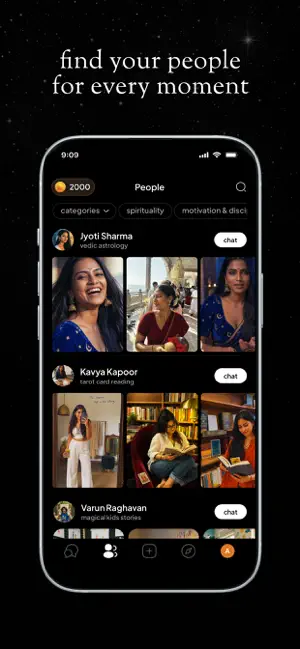
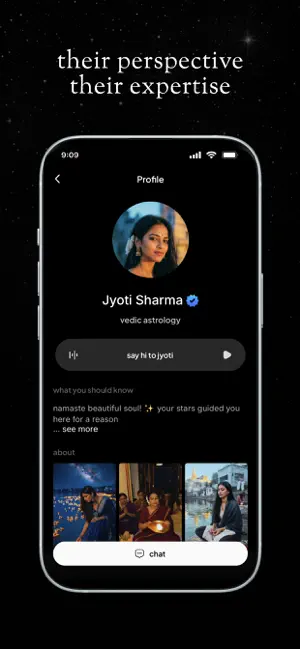
Every shipping app on the App Store has gone through the same decisions you're working through right now: which screenshot goes first, what caption sits over it, which device frame to show, what color the background should be. The 6 screenshots above are Provue: Chat with People's answers to those questions — they're public, they're real, and they made it through Apple's review.
Notice the first screenshot in particular. It's the one users see in search results and on the product page, and it's where most apps spend their best caption and tightest design. Look at the proportion of background to phone, where the text sits, what one thing the image is trying to communicate.
Want to see how other Productivity apps approach the same problem? Browse more Productivity apps in the showcase.
Take what works into your own screenshots
Open LaunchShots and design your App Store & Google Play screenshots — pick a device frame, drop captions, ship in minutes. Free, in your browser.
Open the screenshot editor →