App Store In-App Events: The 2026 ASO Surface Indies Miss
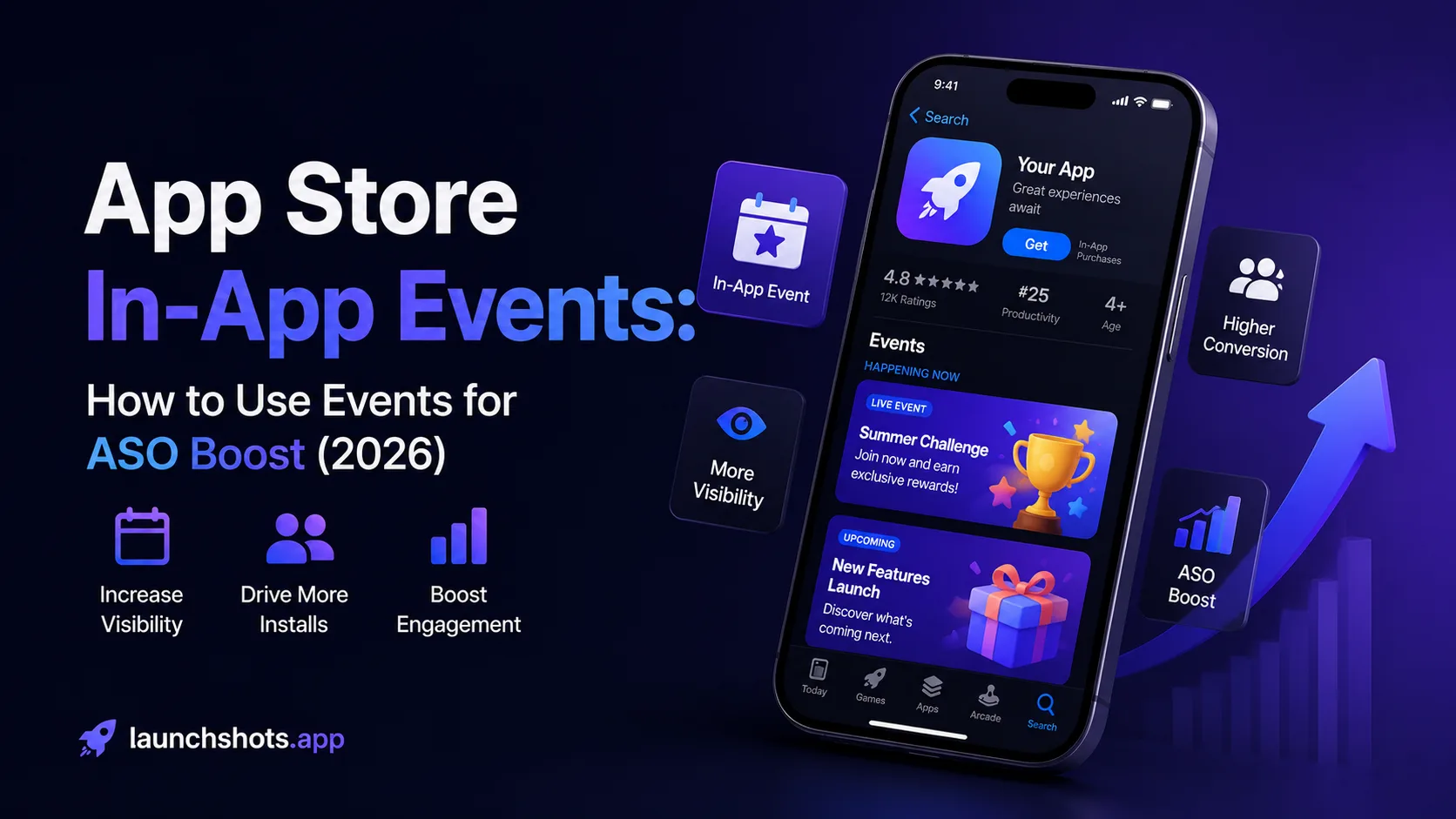
In-App Events sit in a quiet corner of App Store Connect that most indie developers either don't know about or treat as a marketing afterthought. The 2026 reality is different: Apple has quietly moved In-App Events into the search results themselves, making them a searchable ASO surface — not just a promotional banner. A single well-timed event can now appear in two places simultaneously on the App Store (search results AND your product page), effectively doubling your screen real estate for users actively searching your category. Google's equivalent (Promotional Content, formerly LiveOps) follows the same logic on Play Store with documented +2% active user lifts and +4% revenue lifts when used consistently. One habit tracker app published a "New Year, New Habits" event in January 2026 and gained roughly 400,000 incremental downloads from that single event. This is the operator-level guide for indie developers in 2026: what In-App Events are, the 2025 changes that made them an ASO ranking surface, the cadence indies should actually run, and the categories where Events produce outsized organic install lifts.
What In-App Events actually are
In-App Events were introduced by Apple in late 2021 as a way for developers to promote time-limited happenings inside their apps directly through the App Store. The original purpose was promotional — surface a flash sale, a special tournament, a new content drop — but the 2025–2026 evolution turned them into something more strategic: a discoverable ASO asset.
- iOS implementation: Apple's In-App Events appear on your App Store product page above your screenshots, in the Today tab when featured, and (as of 2025) directly within search results when relevant. You configure them in App Store Connect under your app's "App Information" section.
- Google Play implementation: Google's "Promotional Content" (formerly "LiveOps") serves the same purpose. Developers submit events through Play Console, Google reviews them, and approved events appear on your store listing, in personalized recommendations, and across browse surfaces.
- Mechanism: Both platforms let you define an event with a title, description, image/video, start and end dates, and a deep link that opens the relevant in-app experience.
- Goal: Drive new installs from users searching your category AND re-engage existing users who already have your app installed but have lapsed.
The 2026 shorthand: In-App Events are no longer just push notifications wearing a store banner — they're a searchable, indexable, conversion-driving ASO surface that most indies haven't touched yet. The opportunity gap is real for developers willing to commit to a 1–2 event per month cadence.
The 2025 change that moved Events into search
The single most important development for In-App Events in the past 18 months: Apple made In-App Events searchable in 2025. Before this change, Events only appeared on your product page and (rarely) in Today tab featured spots. They were useful but easily missed by users who didn't already know your app.
Post-2025, an active Event can appear in two places simultaneously when a user searches a relevant keyword:
- In the search results carousel as a dedicated Event card, separate from your main app listing — effectively a second visible position in search results.
- On your product page in the standard Events section above screenshots, as before.
For users who tap the Event card from search, they land directly on the Event detail page with a Get button to install your app. For users who tap your main listing, they see the Event prominently displayed and can engage with it before even scrolling to screenshots.
This is why Events shifted from "marketing feature" to "ASO feature." A successful Event isn't just a promotional moment — it's a second indexed surface that competes for the same search queries your app already targets. SplitMetrics data from 2026 shows top-performing apps see conversion lifts up to 8.6% from active Events compared to baseline product page performance.
The seven Event types Apple supports
Apple categorizes In-App Events into seven types. Each type has slightly different review treatment and featured placement potential:
- Challenge: A goal-oriented activity for users to complete (e.g., "30-day habit challenge," "complete 5 workouts this week"). Strong for habit-driven categories like Health & Fitness.
- Competition: A user-vs-user or user-vs-app contest with rankings or leaderboards. Strong for games and competitive apps.
- Live Event: A real-time event happening at a specific time (e.g., "Live yoga session tonight at 7pm"). Strong for content-driven apps.
- Major Update: Marking a significant version release with new features. Strong for established apps with engaged user bases.
- New Season: Seasonal content drops (e.g., "Winter 2026 collection"). Strong for games and lifestyle apps with seasonal content cycles.
- Premiere: Launch of new content or features (e.g., "New album drops Friday"). Strong for media and entertainment.
- Special Event: Time-limited promotions, sales, or themed activities. Most flexible — the default for promotional events that don't fit other types.
Picking the right type matters because Apple's featured placement decisions are partly driven by Event type fit with their editorial calendar. A "Major Update" Event in January (when "new year, new app" energy is high) gets more featured consideration than the same content tagged as "Special Event."
The Event fields that determine performance
Every Event in App Store Connect has several fields. The ones that drive ASO and conversion performance:
- Event name (30 characters): The headline users see in search results, on your product page, and in the Event detail page. Treat it like an ASO surface — include your primary keyword if natural.
- Short description (50 characters): Appears in search results and on your product page above the Event image. Conversion-driving copy; benefit-focused.
- Long description (120 characters): Appears on the Event detail page. More room for context but still tight; lead with the value proposition.
- Event image (1080×1080 or 1920×1080): The visual that appears in search carousels and on your product page Event section. Drives the conversion decision in roughly the same window as your first screenshot — 5–10 seconds. High contrast, clear text overlay, recognizable.
- Event video (optional, 30 seconds max): Significantly boosts conversion when high quality. Skip if you can't produce something polished — low-quality video hurts more than no video.
- Event purpose: Either "Attract new users" or "Keep informed/Bring back" (re-engagement). This is the single biggest configuration decision and determines which audience sees the Event. Attract new users surfaces it to non-installed users in search; re-engagement targets existing users who haven't opened the app recently.
- Event badge: Apple offers badges like "New," "Limited Time," "Returning Soon" that appear on the Event card. Use sparingly — badges grab attention but can feel manipulative if overused.
- Start and end times: Apple lets events publish up to 14 days before the start date. Submit 3–7 days before start to give review time.
- Deep link URL: The in-app destination users land at when they tap into the Event from an installed app. Must work and be relevant; broken deep links trigger Apple to reject the Event.
The most-skipped field by indie developers: "Event purpose." Treating every Event as both acquisition and retention dilutes performance. Pick one job per Event and optimize accordingly.
Google Play Promotional Content: same logic, different process
Google's equivalent system (Promotional Content) shares the core logic but differs in process:
- Submission timing: Google recommends submitting at least 60 days before the event date. Apple allows up to 14 days lead time. Plan further ahead for Android.
- Review duration: Google typically approves within 4 business days. Apple's review is bundled into general App Review (2–5 days for new apps).
- Vitals gating: Google uses Android Vitals (crash rate, ANR rate, battery usage) as a gating factor for Promotional Content approval. Apps exceeding crash or ANR thresholds are less likely to receive featuring and may lose visibility entirely.
- Placement decisions: Google's system is more selective than Apple's. You submit the event; Google decides whether and where to show it. Approvals don't guarantee placement.
- Documented results: Google's own analysis: +2% 28-day active users and +4% revenue compared to apps that don't use the feature. Modest at category baseline but substantial if Google features your event.
- Content types: Google supports event types similar to Apple — sales, new content, major updates, milestones, in-app challenges.
The Apple/Google split: Apple's Events system is more open (you submit, it appears) while Google's is more curated (you submit, Google selects). For indie developers, this means Apple Events are higher-volume, lower-variance; Google Promotional Content is lower-volume but higher-variance — when they feature you, the spike is significant.
The indie cadence that produces results
Most ASO advice on Events comes from teams with full-time marketing staff. For indie developers, the realistic cadence is more modest:
- 1–2 Events per month: Enough to keep your store presence active without burning out on creative production. More than 2/month dilutes individual Event impact.
- Align with seasonal moments: January habit-builder energy, summer fitness, back-to-school in September, holiday shopping in November. The same keywords explode at the same times every year; plan ahead.
- Mix Event purposes: 60% acquisition (Attract new users), 40% re-engagement. Both serve ASO — acquisition Events drive new installs; re-engagement Events boost retention signals that improve organic ranking.
- Reuse and refresh: The same Event type can run repeatedly with different framing. "New Year Habit Challenge" in January, "Spring Habit Reset" in April, "Summer Goals" in June. Same mechanic, fresh context.
- Tie to product reality: Don't fabricate Events. Apple and Google both penalize fake Events. Tie each one to something real happening in your app — a feature drop, a content release, a community moment.
- Review performance quarterly: Track Event detail page views, install conversions from Event surfaces, and the velocity boost in days following Event launch. Adjust Event types and timing based on what works.
The minimum viable Event cadence for ASO benefit: one Event per month, aligned with monthly product moments. Below that, you're not building consistent surface area. Above 2/month, individual Events compete for attention.
Categories where Events produce outsized lift
Not every category benefits equally from In-App Events. The data shows a clear pattern in 2026:
- Health & Fitness: Strong fit. Challenges, fitness goals, and seasonal motivation align naturally with Events. The category leads in Event adoption among indie apps. Conversion lifts often hit the 5–8% range.
- Games: Strong fit. New seasons, tournaments, limited-time game modes — Events were practically designed for games. Most-developed Event implementations across the App Store.
- Education: Strong fit. Course launches, learning challenges, new lesson packs map naturally to Events. Particularly strong around back-to-school timing.
- Media & Entertainment: Strong fit. Premieres, content drops, season launches. Apple's editorial team often features media Events.
- Lifestyle: Mixed fit. Habit and routine apps work well; pure lifestyle content less so. Depends on whether the app has genuine moment-based content.
- Productivity: Mixed-to-weak fit. Productivity apps don't naturally have time-limited Events. Workarounds: tie Events to major feature launches, productivity challenges, or seasonal goal-setting.
- Utility apps: Weak fit. Utilities don't have inherent moments. Use Events sparingly for major version releases only.
- eCommerce / Shopping: Strong fit (especially with the 2025 changes). Flash sales, festive drops, member-only launches — Events double the screen real estate for high-intent shoppers.
Indie developers in categories with mixed-to-weak Event fit shouldn't force the format. The ASO benefit comes from genuine, meaningful Events tied to product moments — not from creating fake Events to fill the surface.
Common mistakes that hurt Event performance
Patterns that consistently underperform across indie Event submissions:
- Treating Events as banner ads. Events ARE searchable ASO surfaces in 2026. Writing them like banner copy ("New update!") wastes the keyword potential.
- Skipping the Event image investment. The image drives conversion in the same 5-second window as your first screenshot. Reusing a generic logo or screenshot fails to convert. Design a dedicated Event visual.
- Choosing Event type by guess. Apple's editorial calendar matches certain Event types to certain seasons. Picking "Special Event" for everything dilutes featured placement opportunity.
- Targeting both acquisition and retention with one Event. Pick one purpose. Both audiences are different; copy that works for one doesn't work for the other.
- Submitting too close to the start date. Apple needs review time. Google needs 60+ days. Last-minute submissions don't get featured.
- Ignoring deep link quality. A broken or generic deep link triggers Event rejection on iOS and Android. Test before submitting.
- Running Events without a measurement plan. If you don't track Event detail page views, conversion lift, and post-Event velocity boost, you can't optimize the next Event.
- Setting and forgetting. One Event won't move your ASO needle. The compound effect requires 1–2 Events per month sustained over quarters.
- Fabricating Events. Apple and Google both penalize fake Events. Every Event must tie to something real in your app.
- Using the same Event image for iOS and Android. Each platform's required dimensions are different. Repurposing without resizing produces blurry or cropped Events that hurt conversion.
How Events fit into your broader ASO strategy
In-App Events aren't a standalone ASO lever — they amplify everything else you've built:
- Title and keyword field already work for you. Events appear for users searching the same keywords you target. Strong base metadata makes Events more visible.
- Strong ratings amplify Event placement. Apple and Google both factor app rating into Event approval and placement decisions. Sub-4.0 apps see fewer Event impressions.
- Conversion rate signals compound. If your product page converts well, Apple shows your Events more often. If your Events convert well, your product page CVR improves through the spillover.
- Retention data feeds back. Apple now factors post-install retention into ranking. Re-engagement Events that bring users back lift this signal across all your organic surfaces.
- Custom Product Pages and Events overlap. Both let you create context-specific experiences. CPPs match audience intent; Events match temporal moments. Use both for different jobs.
For the full ASO picture that Events plug into, see our complete 2026 ASO guide. For the metadata fundamentals: 100-character keyword guide, title vs subtitle guide, and 4,000-character description guide. For the conversion lever that ties Events to installs, our rating optimization guide covers the 4.5+ stars threshold that gates featured placement.
Frequently asked questions
How many In-App Events can I publish at once?
Apple allows up to 10 published Events simultaneously per app. Google Play has no explicit cap but approval rates limit practical concurrency. For indie developers, running 1–2 Events at a time produces stronger per-Event focus than running 5+.
How long can an Event run?
Apple Events can run up to 31 days. Google Promotional Content varies by type but typically 1–30 days. Most successful Events run 7–14 days — long enough for users to discover and engage, short enough to maintain urgency.
Does Apple charge for In-App Events?
No. Events are free to create in App Store Connect. There's no per-Event fee or featured placement payment option. Featured placement is editorial, not paid.
How long does Event review take?
Apple's Event review is bundled into App Review — typically 2–5 days for new apps. Google Play approval typically takes 4 business days. Plan submission timing accordingly.
Can In-App Events appear without me being featured?
Yes. Even without editorial featuring, Events appear on your product page (always) and in search results (when relevant). Featured placement amplifies impact but isn't required for Events to drive value.
What's the ideal Event image size?
Apple: 1080×1080 (square) or 1920×1080 (landscape). Google Play has slightly different dimensions per content type. Both reward high-contrast, text-readable images that work at thumbnail size.
Can I deep-link to a specific in-app screen from an Event?
Yes — and you should. Deep links route users from the Event tap directly to the relevant in-app destination (challenge screen, new content, etc.). Generic deep links to the home screen waste the targeting opportunity.
How do I measure In-App Event performance?
App Store Connect provides Event-level analytics including impressions, taps, downloads, and notifications. Track Event detail page views, conversion rate from impression to install, and the velocity boost in the days following Event start.
What's the difference between an In-App Event and a Custom Product Page?
Events are time-limited promotional surfaces tied to specific moments. CPPs are persistent alternate product pages tied to audience or keyword segments. Different jobs, both useful, often complementary.
Are In-App Events worth the time for indie developers?
For Health & Fitness, Games, Education, Media & Entertainment, and eCommerce apps: yes, decisively. For Productivity, Lifestyle, and Utility apps: only if you have genuine product moments to tie to. The compounding ASO benefit comes from sustained monthly cadence, not one-off Events.
The bottom line
In-App Events were once a niche promotional feature; in 2026 they're a searchable ASO surface that most indie developers haven't yet treated as ranking real estate. Apple's 2025 change moved Events into search results, effectively doubling your screen real estate for users actively searching your category. SplitMetrics data shows top-performing apps see up to 8.6% conversion lifts from active Events, and one habit tracker gained 400,000 downloads from a single well-timed January Event. The indie cadence that works: 1–2 Events per month, aligned with seasonal moments, tied to real product happenings, with measurement plans that inform the next Event. Categories with strong Event fit (Health & Fitness, Games, Education, Media, eCommerce) see outsized lift; Productivity and Lifestyle apps should use Events sparingly. The opportunity is largest right now while most indie developers haven't yet caught up to the 2025 search integration. The apps building Event muscle today will compound that advantage across years of organic discovery.
In-App Events plug into the broader ASO picture. For the full 2026 strategy, see our complete ASO guide. For the deep dives on each foundational ASO surface: keyword field, title and subtitle, promotional text, and screenshots that convert. For the conversion lever that ties Events to installs, the rating optimization guide covers the 4.5+ stars threshold that gates Apple's editorial featured placement decisions.
Related posts
Make your App Store screenshots free
LaunchShots is a free, in-browser screenshot maker. No signup, no watermark.
Open the app →
Comments (0)