Chart position — tracked daily by LaunchShots
Screenshot style breakdown
Sampled from 4 of MedGen Japan|日本の医師のためのAIアシスタント's App Store screenshots — background, accent and theme, measured by LaunchShots (not something Apple publishes).
#FCFCFC bg
#DDDDDD
#5C6C9C accent
#111111 text
Reading the caption text from the screenshots in your browser…
Screenshots


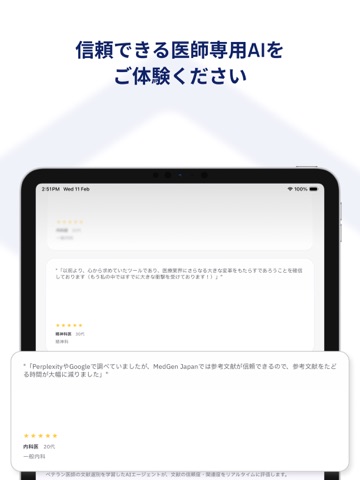
iPad screenshots



Icon palette
About this app
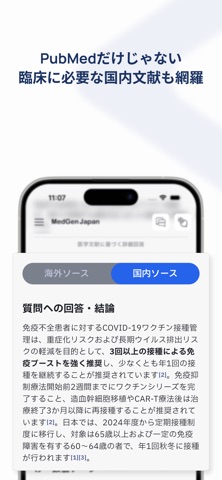
AIアシスタント「MedGen Japan(メドジェンジャパン)」は、 ベテラン医師の情報収集法を基に、海外・国内の論文、ガイドライン、公的文書を横断的に調べ、 研究手法や引用数を元に最適な文献を選別して、あなたの臨床の疑問に信頼できる回答を30秒で届けます。 【MedGen Japanの独自性】 1. PubMedのみならず、「日本の臨床」に合わせてガイドラインや公的文書も検索 2. 数百名の医師から学習したモデルが、信頼できる文献を元にハルシネーションを防止 3. 文献のエビデンスレベル・ジャーナルの影響度など、AIによる文献の選別理由を表示 【ユーザーの皆様の利用場面】 • 「第一選択薬を調べる際、教科書・添付文書には書いていない『アレルギーがある患者』『肥満患者』などの条件付きの場合に、 過去の症例や治験の結果を調べた」 • 「レアな症状の患者を診た際、自身の仮説を症例と照らして検証した」 • 「ふとした時、『今までの医師人生でこう治療してきたが良かったのか?』と思って調べた」 • 「カンファレンス中にチームで共通のエビ…
App details
What you can learn from MedGen Japan|日本の医師のためのAIアシスタント
Every shipping app on the App Store has gone through the same decisions you're working through right now: which screenshot goes first, what caption sits over it, which device frame to show, what color the background should be. The 8 screenshots above are MedGen Japan|日本の医師のためのAIアシスタント's answers to those questions — they're public, they're real, and they made it through Apple's review.
What the numbers say: MedGen Japan|日本の医師のためのAIアシスタント runs a light set with one background colour (#FCFCFC) carried across every screenshot — the listing reads as a single poster when the shots sit side by side in search results. The accent colour we picked up, #5C6C9C, is the one to reuse for badges, arrows and highlighted words if you borrow this look. Hit Use this style to open the editor with these exact colours and drop your own screenshot in.
Notice the first screenshot in particular. It's the one users see in search results and on the product page, and it's where most apps spend their best caption and tightest design. Look at the proportion of background to phone, where the text sits, what one thing the image is trying to communicate.
Want to see how other Medical apps approach the same problem? Browse more Medical apps in the showcase.
Take what works into your own screenshots
Open LaunchShots and design your App Store & Google Play screenshots — pick a device frame, drop captions, ship in minutes. Free, in your browser.
Open the screenshot editor →Apps with a similar look
Closest background + accent colours among the listings we've analysed — useful when you want to see the same palette handled by a different team.