Screenshot style breakdown
Sampled from 6 of 帕德尔 - All My Tactics's App Store screenshots — background, accent and theme, measured by LaunchShots (not something Apple publishes).
#0C7474 bg
#2E8787
#6CACAC accent
#FFFFFF text
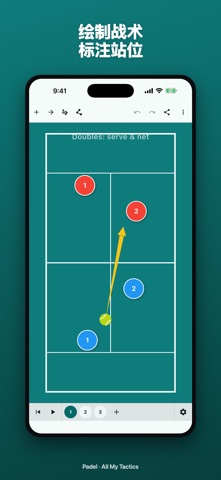
- #1绘制 战术 标注 站 位
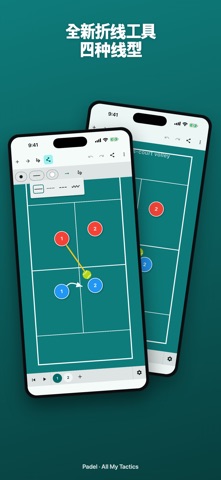
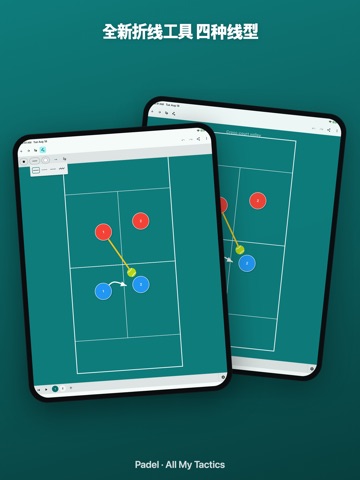
- #2全 新 折线 工具 四 种 线 型
- #3战术 分 步 编排 动画 连贯 演示
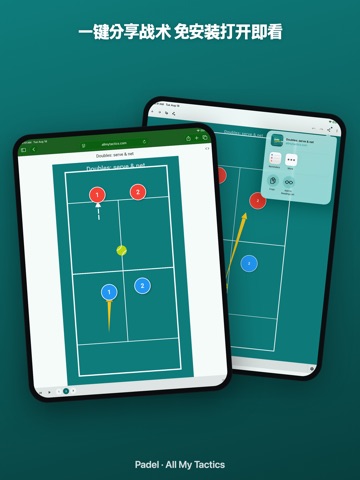
- #4一 键 分 享 战术 免 安 装 打开 即 看
- #5每 位 球员 自 定 颜色 与 姓名
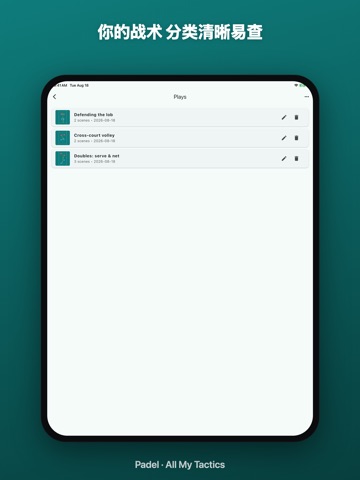
- #6你 的 战术 分 类 清晰 易 查
Captions read from the screenshots (OCR, may contain small errors): 6 headlines, 7.8 words on average (longest 11).
Screenshots


iPad screenshots



Icon palette
About this app
帕德尔 - All My Tactics是一款面向教练和球员的专业战术板。设计多场战术,演示球员跑位,绘制箭头与阵型,再通过浏览器即可打开的链接与你的球队共享 —— 无需安装应用。 主要功能 • 多场战术 — 串联跑动并以动画形式回放 • 绘图工具 — 实线/虚线/点线箭头、自由曲线、形状、橡皮擦 • 球员可自定义 — 颜色、标签、图标、队伍 • 真实帕德尔球场 — 封闭式10×20米玻璃墙球场,配发球线与中发球线 • 为封闭场地制定战术 — 设置双打站位、网前位置、挑高球与借墙打法 • 一键分享 — 每个战术都有固定 URL • 本地资料库 — 战术保存在设备上,可随时备份到云端 • Pro 升级解锁多场战术和分享 适合谁用 • 在俱乐部主导训练的教练 • 比赛前进行配合的双打搭档 • 制定球队战术的队长 • 复盘自己比赛并设计训练的球员 • 教授战术打法的学校与培训机构 隐私 你创建的战术仅保存在设备上,发布前不会上传。已发布的战术以随机 ID 存储在我们的服务器上。无追踪、无广告、无需账户。
App details
What you can learn from 帕德尔 - All My Tactics
Every shipping app on the App Store has gone through the same decisions you're working through right now: which screenshot goes first, what caption sits over it, which device frame to show, what color the background should be. The 12 screenshots above are 帕德尔 - All My Tactics's answers to those questions — they're public, they're real, and they made it through Apple's review.
What the numbers say: 帕德尔 - All My Tactics runs a dark set where the background shifts from screenshot to screenshot (first shot #0C7474) — each image has to stand on its own, so the captions carry more of the story. The accent colour we picked up, #6CACAC, is the one to reuse for badges, arrows and highlighted words if you borrow this look. Hit Use this style to open the editor with these exact colours and drop your own screenshot in.
Notice the first screenshot in particular. It's the one users see in search results and on the product page, and it's where most apps spend their best caption and tightest design. Look at the proportion of background to phone, where the text sits, what one thing the image is trying to communicate.
Want to see how other Sports apps approach the same problem? Browse more Sports apps in the showcase.
Take what works into your own screenshots
Open LaunchShots and design your App Store & Google Play screenshots — pick a device frame, drop captions, ship in minutes. Free, in your browser.
Open the screenshot editor →Apps with a similar look
Closest background + accent colours among the listings we've analysed — useful when you want to see the same palette handled by a different team.