Chart position — tracked daily by LaunchShots
Screenshot changes — detected by LaunchShots
Screenshot style breakdown
Sampled from 6 of AirStationアプリ (旧StationRadar)'s App Store screenshots — background, accent and theme, measured by LaunchShots (not something Apple publishes).
#FCFCFC bg
#DDDDDD
#DC2C2C accent
#111111 text
Screenshots
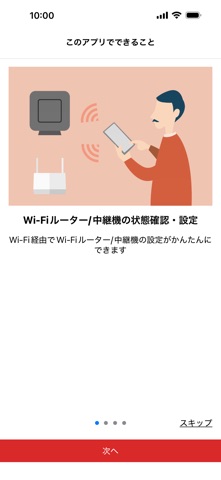
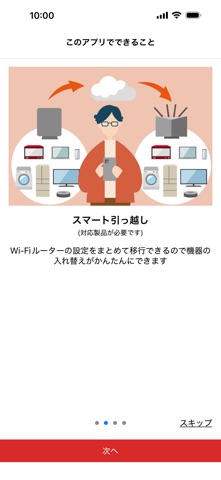
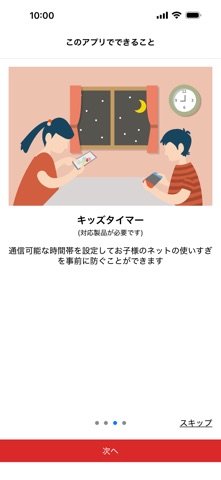
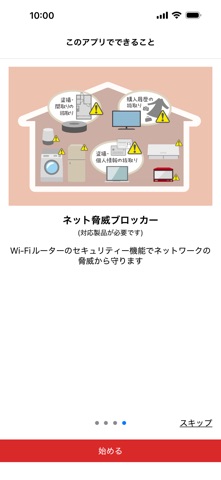

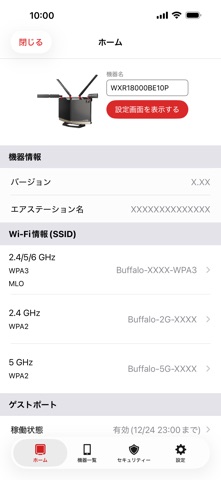


iPad screenshots


Icon palette
About this app
AirStation(エアステーション。当社製Wi-Fiルーター、Wi-Fi中継機)(*1)のセットアップ・管理・設定変更ができます。 ・端末をAirStationと同じWi-Fiネットワークに接続してお使いください。 ネット脅威ブロッカー2プレミアム(またはネット脅威ブロッカープレミアム)をお使いの場合、リモートアクセスを利用することで外出先からでもAirStationアプリを使用できます。 ・お使いのAirStationの機種によって対応している機能が異なります。対応については、製品のパッケージや製品紹介ページなどを確認してください。 機能: ○AirStationのセットアップ - Wi-Fiルーターのセットアップ(設置案内) - Wi-Fi中継機のセットアップ(設置案内) - スマート引っ越し機能によるWi-Fiルーターの設定引き継ぎ - ネット脅威ブロッカー2(またはネット脅威ブロッカー)の有効化 ○AirStationの管理 - 状態の確認 - SSID、暗号化キー、Wi-Fi接続用QRコードの表示 - ネット脅威ブロッカー2(またはネット脅威ブロッカー)のイベントの確認・対処 - 設定画面の表示 - 設定画面…
App details
What you can learn from AirStationアプリ (旧StationRadar)
Every shipping app on the App Store has gone through the same decisions you're working through right now: which screenshot goes first, what caption sits over it, which device frame to show, what color the background should be. The 16 screenshots above are AirStationアプリ (旧StationRadar)'s answers to those questions — they're public, they're real, and they made it through Apple's review.
What the numbers say: AirStationアプリ (旧StationRadar) runs a light set with one background colour (#FCFCFC) carried across every screenshot — the listing reads as a single poster when the shots sit side by side in search results. The accent colour we picked up, #DC2C2C, is the one to reuse for badges, arrows and highlighted words if you borrow this look. Hit Use this style to open the editor with these exact colours and drop your own screenshot in.
Notice the first screenshot in particular. It's the one users see in search results and on the product page, and it's where most apps spend their best caption and tightest design. Look at the proportion of background to phone, where the text sits, what one thing the image is trying to communicate.
Want to see how other Utilities apps approach the same problem? Browse more Utilities apps in the showcase.
Take what works into your own screenshots
Open LaunchShots and design your App Store & Google Play screenshots — pick a device frame, drop captions, ship in minutes. Free, in your browser.
Open the screenshot editor →Apps with a similar look
Closest background + accent colours among the listings we've analysed — useful when you want to see the same palette handled by a different team.