Chart position — tracked daily by LaunchShots
Screenshot style breakdown
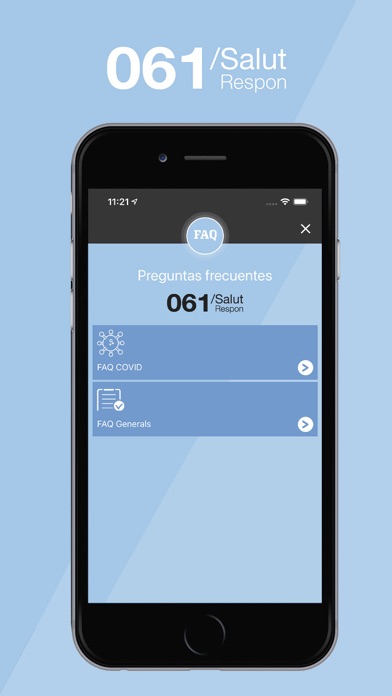
Sampled from 6 of 061 Salut Respon's App Store screenshots — background, accent and theme, measured by LaunchShots (not something Apple publishes).
#A4CCEC bg
#90B3CF
#6494B4 accent
#111111 text
Reading the caption text from the screenshots in your browser…
Screenshots




Icon palette
About this app
La APP 061 CatSalut Respon es una aplicación móvil propiedad de Sistema d'Emergències Mèdiques, SA (Servei Català de la Salut), pública y gratuita, dirigida tanto a ciudadanos como a profesionales de la salud. Permite al usuario, previo registro de sus datos (nombre, apellidos, DNI, número de tarjeta sanitaria, edad, género y dirección), el envío de éstos junto con los de geoposicionamiento, para ofrecerle un servicio de máxima eficiencia y calidad al ponerse en contacto con el 061CatSalut Respon y recibir atención sanitaria telefónica. Permite visionar vídeos y consejos de salud, localizar los centros sanitarios más cercanos y recibir notificaciones relacionadas con la salud. Permite activar la comunicación por lengua de signos mediante tecnología de videollamada.
App details
What you can learn from 061 Salut Respon
Every shipping app on the App Store has gone through the same decisions you're working through right now: which screenshot goes first, what caption sits over it, which device frame to show, what color the background should be. The 6 screenshots above are 061 Salut Respon's answers to those questions — they're public, they're real, and they made it through Apple's review.
What the numbers say: 061 Salut Respon runs a light set with one background colour (#A4CCEC) carried across every screenshot — the listing reads as a single poster when the shots sit side by side in search results. The accent colour we picked up, #6494B4, is the one to reuse for badges, arrows and highlighted words if you borrow this look. Hit Use this style to open the editor with these exact colours and drop your own screenshot in.
Notice the first screenshot in particular. It's the one users see in search results and on the product page, and it's where most apps spend their best caption and tightest design. Look at the proportion of background to phone, where the text sits, what one thing the image is trying to communicate.
Want to see how other Medical apps approach the same problem? Browse more Medical apps in the showcase.
Take what works into your own screenshots
Open LaunchShots and design your App Store & Google Play screenshots — pick a device frame, drop captions, ship in minutes. Free, in your browser.
Open the screenshot editor →Apps with a similar look
Closest background + accent colours among the listings we've analysed — useful when you want to see the same palette handled by a different team.