Screenshots
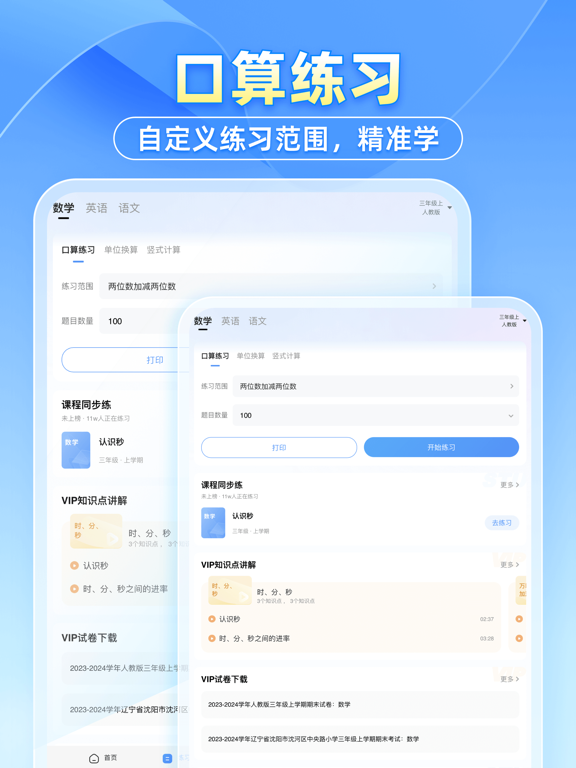
iPad screenshots


Icon palette
About this app
【应用介绍】: 全国中小学家长功课辅导、答疑利器,湖南卫视《天天向上》推荐使用的学习工具,《最强大脑》官方合作平台!海量题库,全面覆盖小学、初中、高中,包括数学、语文、英语、物理、化学、生物在内的主要学科。功课辅导遇到难题,来小猿搜题查看老师解析视频,还有举一反三知识点详解,帮您搞懂难题! 【使用场景】: 如果你是望子成龙的家长: 1.想给孩子讲题,可是有些题目自己也不会做?用小猿搜题! 2.工作繁忙没时间,辅导孩子成问题?用小猿搜题! 一句话:辅导孩子有难题,用小猿搜题就够了! 【小猿功能】: 1、拍照解题:不会的题轻松一拍,免费秒出解析 2、视频答疑:老师真人讲解答题思路,厘清解题关键,帮您高效答疑! 3、语文&英文作文:精选优质素材,快速掌握写作思路,积累协作素材! 4、古诗文助手:赏析和考点清晰呈现,轻松学会古诗词,不再盲目死记硬背! 5、英语听说:原创英语短文及音频素材,分阶段口语朗读训练,在线评分、纠正发音,锻炼流利口语 6、英语作文批改:3.3毫秒手写作文拍照批改,拍照即可批改及判断分,智能标…
App details
What you can learn from 小猿搜题 - 中小学家长辅导和作业检查工具
Every shipping app on the App Store has gone through the same decisions you're working through right now: which screenshot goes first, what caption sits over it, which device frame to show, what color the background should be. The 7 screenshots above are 小猿搜题 - 中小学家长辅导和作业检查工具's answers to those questions — they're public, they're real, and they made it through Apple's review.
Notice the first screenshot in particular. It's the one users see in search results and on the product page, and it's where most apps spend their best caption and tightest design. Look at the proportion of background to phone, where the text sits, what one thing the image is trying to communicate.
Want to see how other Education apps approach the same problem? Browse more Education apps in the showcase.
Take what works into your own screenshots
Open LaunchShots and design your App Store & Google Play screenshots — pick a device frame, drop captions, ship in minutes. Free, in your browser.
Open the screenshot editor →