Chart position — tracked daily by LaunchShots
Screenshot style breakdown
Sampled from 6 of HSBC HK Mobile Banking's App Store screenshots — background, accent and theme, measured by LaunchShots (not something Apple publishes).
#FCFCFC bg
#DDDDDD
#DC0414 accent
#111111 text
Screenshots


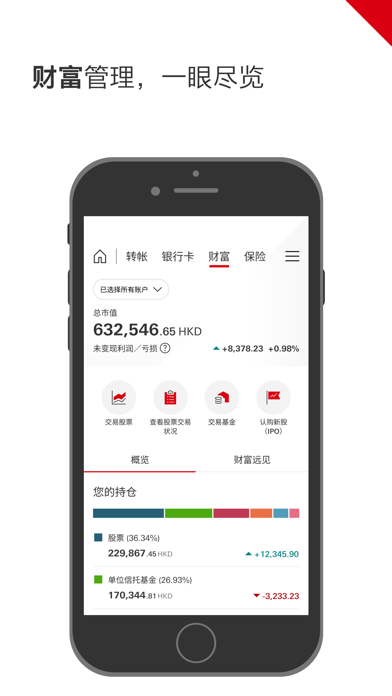

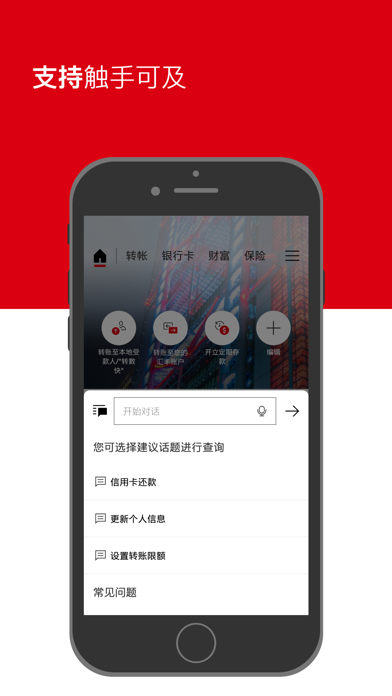
iPad screenshots


Icon palette
About this app
香港汇丰流动理财应用程序(HSBC HK App) HSBC HK App专为香港汇丰客户*而设,让您便捷、安全地随时随地处理日常理财需要。主要功能 : •新客户可以通过应用程序开立账户,无需亲身前往分行(只限香港客户); •以应用程序内置的流动保安编码及生物认证功能,安全地登录及确认交易; •轻松使用“转数快”二维码、手提号码或电邮转账给亲友及商户,转账及缴付账单及信用卡 •账户余额、信用卡结欠、保单详情及强积金,一目了然; •一站式查阅投资表现及快速处理交易; •推播通知让您随时接收电子结单及电子通知书、“转数快”入账及信用卡缴费等通知。 您可随时通过“线上对话”寻求帮助,只需登录并说明您的问题,就如发讯息给朋友一样简单。 立即体验HSBC HK App流动理财服务,理财一心易用! HSBC HK App的滙豐保險Well+計劃可與 Apple Health 一同使用以同步運動數據。 *重要声明: 本应用程序为在香港使用而设计。本应用程序所提供的产品和服务为香港客户而设。 本应用程序由香港上海汇丰银行有限公司(“汇丰香港”)提供。 香港上海汇丰银行有限公司获授权在香港特别…
App details
What you can learn from HSBC HK Mobile Banking
Every shipping app on the App Store has gone through the same decisions you're working through right now: which screenshot goes first, what caption sits over it, which device frame to show, what color the background should be. The 12 screenshots above are HSBC HK Mobile Banking's answers to those questions — they're public, they're real, and they made it through Apple's review.
What the numbers say: HSBC HK Mobile Banking runs a mixed light-and-dark set where the background shifts from screenshot to screenshot (first shot #FCFCFC) — each image has to stand on its own, so the captions carry more of the story. The accent colour we picked up, #DC0414, is the one to reuse for badges, arrows and highlighted words if you borrow this look. Hit Use this style to open the editor with these exact colours and drop your own screenshot in.
Notice the first screenshot in particular. It's the one users see in search results and on the product page, and it's where most apps spend their best caption and tightest design. Look at the proportion of background to phone, where the text sits, what one thing the image is trying to communicate.
Want to see how other Finance apps approach the same problem? Browse more Finance apps in the showcase.
Take what works into your own screenshots
Open LaunchShots and design your App Store & Google Play screenshots — pick a device frame, drop captions, ship in minutes. Free, in your browser.
Open the screenshot editor →Apps with a similar look
Closest background + accent colours among the listings we've analysed — useful when you want to see the same palette handled by a different team.