Chart position — tracked daily by LaunchShots
Screenshot changes — detected by LaunchShots
Screenshot style breakdown
Sampled from 6 of ÖSYM Çıkmış Sorular KPSS Kitap's App Store screenshots — background, accent and theme, measured by LaunchShots (not something Apple publishes).
#FCFCF4 bg
#DDDDD6
#4CA4A4 accent
#111111 text
- #214:38 7 wl 56 Baş KPSS Deneme Sınavı 00-06. 21 01
- #3Konuları Öğren * (OD) Günlük görevlerle
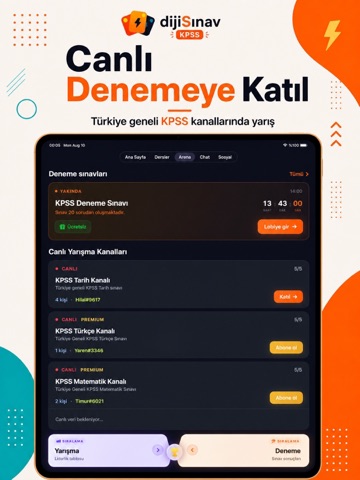
- #4Canlı 4 Denemeye
- #5Canlı ; Sorularla Yarış bd
Captions read from the screenshots (OCR, may contain small errors): 4 headlines, 6.3 words on average (longest 11).
Screenshots


iPad screenshots



Icon palette
About this app
dijiSınav – Dijital Sınav Platformu -- KPSS, YKS, TYT, AYT Konu Anlatım & Soru Çözme ve ÖSYM Sınav Hazırlık Platformu Türkiye'nin en kapsamlı sınav hazırlık platformlarından biri olan dijiSınav ile TYT, AYT, YKS, KPSS, ALES, DGS, MSÜ, YÖS, LGS ve diğer önemli sınavlara tek uygulama üzerinden hazırlanabilirsiniz. ## Çıkmış Sorular ve Cevap Anahtarları 2011–2026 yılları arasında yayımlanan ÖSYM ve MEB sınavlarına ait çıkmış sorulara ve cevap anahtarlarına kolayca erişin. * KPSS Çıkmış Sorular * TYT Çıkmış Sorular * AYT Çıkmış Sorular * ALES Çıkmış Sorular * DGS Çıkmış Sorular * MSÜ Çıkmış Sorular * YÖS Çıkmış Sorular * LGS Çıkmış Sorular Sınırsız dokümantasyon ve Konu Anlatım. Sohbet & Chat & Canlı Soru Çözümü. Aradığın her detay dijiSınav da... Geçmiş yılların sorularını çözerek sınav mantığını kavrayın, soru tiplerini öğrenin ve başarı seviyenizi artırın. ## Türkiye Geneli Sıral…
App details
What you can learn from ÖSYM Çıkmış Sorular KPSS Kitap
Every shipping app on the App Store has gone through the same decisions you're working through right now: which screenshot goes first, what caption sits over it, which device frame to show, what color the background should be. The 13 screenshots above are ÖSYM Çıkmış Sorular KPSS Kitap's answers to those questions — they're public, they're real, and they made it through Apple's review.
What the numbers say: ÖSYM Çıkmış Sorular KPSS Kitap runs a light set with one background colour (#FCFCF4) carried across every screenshot — the listing reads as a single poster when the shots sit side by side in search results. The accent colour we picked up, #4CA4A4, is the one to reuse for badges, arrows and highlighted words if you borrow this look. Hit Use this style to open the editor with these exact colours and drop your own screenshot in.
Notice the first screenshot in particular. It's the one users see in search results and on the product page, and it's where most apps spend their best caption and tightest design. Look at the proportion of background to phone, where the text sits, what one thing the image is trying to communicate.
Want to see how other Education apps approach the same problem? Browse more Education apps in the showcase.
Take what works into your own screenshots
Open LaunchShots and design your App Store & Google Play screenshots — pick a device frame, drop captions, ship in minutes. Free, in your browser.
Open the screenshot editor →Apps with a similar look
Closest background + accent colours among the listings we've analysed — useful when you want to see the same palette handled by a different team.