Chart position — tracked daily by LaunchShots
Screenshot style breakdown
Sampled from 6 of satellite - Mobil telefonieren's App Store screenshots — background, accent and theme, measured by LaunchShots (not something Apple publishes).
#FCFCFC bg
#DDDDDD
#FC5C5C accent
#111111 text
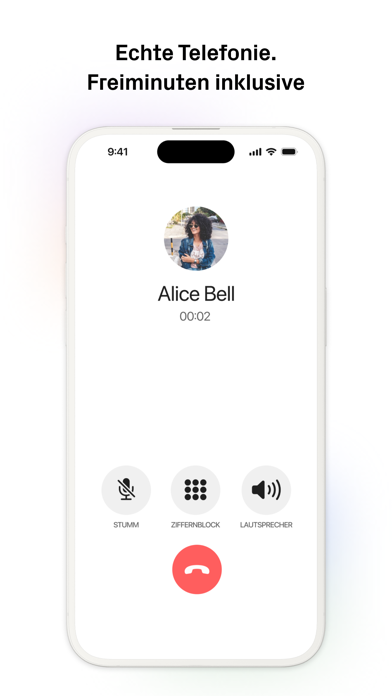
- #1Echte Telefonie. Freiminuten inklusive
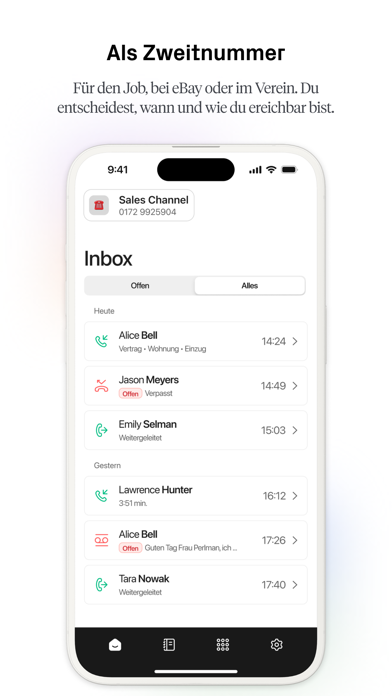
- #2Als Zweitnummer Für den Job, bei eBay oder im Verein. Du entscheidest, wann und wie du ere
- #3SATELLITE BUSINESS Gruppennummer fiir dein Team
- #4Deutsche Handynummer inklusive
- #5Voicemail, Anrufliste & mehr
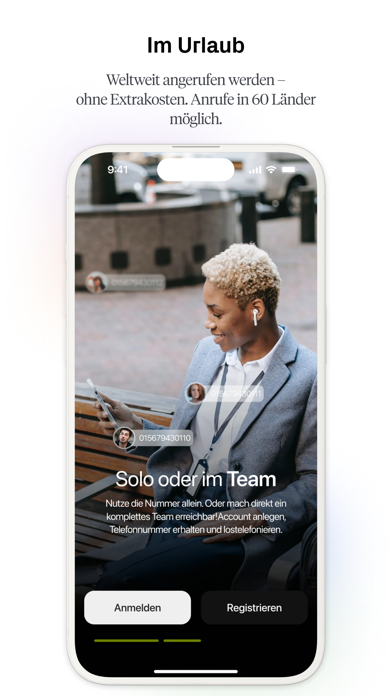
- #6Im Urlaub Weltweit angerufen werden — ohne Extrakosten. Anrufe in 60 Linder
Captions read from the screenshots (OCR, may contain small errors): 6 headlines, 7.7 words on average (longest 17).
Screenshots


Icon palette
About this app
satellite ist die sipgate App mit eigener Handynummer. Unabhängig von deinem jetzigen Provider und auf der ganzen Welt erreichbar. Nutze satellite zusätzlich zu deinem bestehenden Mobilfunkanschluss oder steig komplett auf satellite um. Du telefonierst wie du es kennst und bist auf der Handynummer für jeden erreichbar – egal ob Freunde, Familie oder Handwerker. Die brauchen dafür kein satellite, sondern nur ihr normales Telefon. Mehrere Hunderttausend Nutzer telefonieren weltweit mit satellite. Die Presse findet: “Wenn etwas gut ist, dann ist es einfach gut” – ComputerBild “Dienst und App überzeugen - sie belegen nachdrücklich, wie einfach man zusätzliche Mobilfunknummern auf modernen Smartphones nutzen kann” – Heise online Wir haben satellite von Grund auf selbst entwickelt und sogar eine eigene Telefongesellschaft gegründet. satellite bietet also wesentlich mehr als die üblichen VoIP-…
App details
What you can learn from satellite - Mobil telefonieren
Every shipping app on the App Store has gone through the same decisions you're working through right now: which screenshot goes first, what caption sits over it, which device frame to show, what color the background should be. The 6 screenshots above are satellite - Mobil telefonieren's answers to those questions — they're public, they're real, and they made it through Apple's review.
What the numbers say: satellite - Mobil telefonieren runs a light set with one background colour (#FCFCFC) carried across every screenshot — the listing reads as a single poster when the shots sit side by side in search results. The accent colour we picked up, #FC5C5C, is the one to reuse for badges, arrows and highlighted words if you borrow this look. Hit Use this style to open the editor with these exact colours and drop your own screenshot in.
Notice the first screenshot in particular. It's the one users see in search results and on the product page, and it's where most apps spend their best caption and tightest design. Look at the proportion of background to phone, where the text sits, what one thing the image is trying to communicate.
Want to see how other Social Networking apps approach the same problem? Browse more Social Networking apps in the showcase.
Take what works into your own screenshots
Open LaunchShots and design your App Store & Google Play screenshots — pick a device frame, drop captions, ship in minutes. Free, in your browser.
Open the screenshot editor →Apps with a similar look
Closest background + accent colours among the listings we've analysed — useful when you want to see the same palette handled by a different team.