Screenshots
Icon palette
About this app
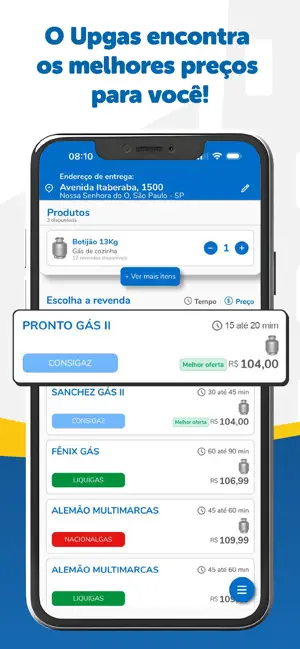
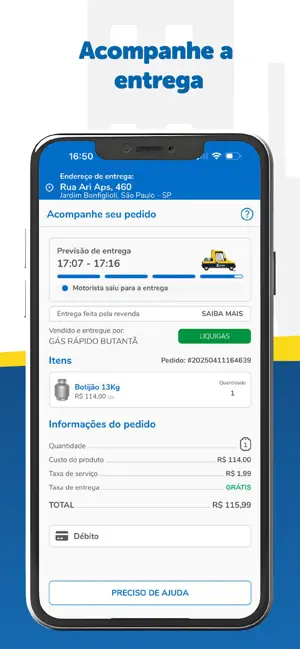
É MUITO RÁPIDO E FÁCIL COMPRAR GÁS COM O APP UPGÁS Quer receber seu gás em pouquíssimos minutos e ainda escolher a marca de sua preferência? Com o UpGás, você visualiza veículos de entrega de gás próximos a sua casa! E para sua segurança, você ainda vê a foto do motorista e a placa do veículo! Seu gás acabou? Está com pressa para receber seu gás? Com o UpGás é Muito Rápido! Você poderá receber seu gás em pouquíssimos minutos! Não precisa se preocupar, o UpGás mostrará para você, na tela do seu celular, todos os veículos próximos da sua casa, simples assim! Veja como é fácil para pedir e receber seu gás em pouquíssimos minutos! 1 – Abra o UpGás e insira o endereço para a entrega do gás. 2 – O UpGás mostrará, em tempo real, todos os veículos de entrega de gás próximos a você! 3 – Escolha o vendedor pela marca, o mais próximo da sua casa, selecione a quantidade desejada e o meio de…
App details
What you can learn from Upgas - Seu gás mais rápido
Every shipping app on the App Store has gone through the same decisions you're working through right now: which screenshot goes first, what caption sits over it, which device frame to show, what color the background should be. The 6 screenshots above are Upgas - Seu gás mais rápido's answers to those questions — they're public, they're real, and they made it through Apple's review.
Notice the first screenshot in particular. It's the one users see in search results and on the product page, and it's where most apps spend their best caption and tightest design. Look at the proportion of background to phone, where the text sits, what one thing the image is trying to communicate.
Want to see how other Shopping apps approach the same problem? Browse more Shopping apps in the showcase.
Take what works into your own screenshots
Open LaunchShots and design your App Store & Google Play screenshots — pick a device frame, drop captions, ship in minutes. Free, in your browser.
Open the screenshot editor →