Screenshots


Icon palette
About this app
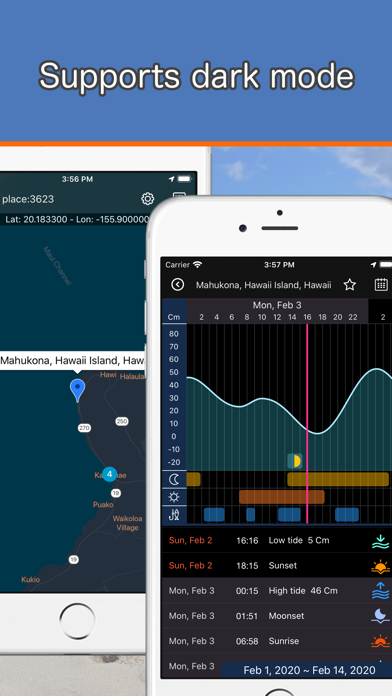
This app "e-tide" can check about 10,000 tides around the world. It can be used for marine sports such as surfing and fishing. Do not use for navigation. You can be easily searched tide places from the map. Multiple places are clustered according to the zoom size of map. Tap to zoom in and break down into individual places as a map pins. Tap the map pin to popup the place name. And then tap the popup to show a tide graph. By default, the tide graph for two weeks from two days ago is shown. You can also show the graph by specifying the date from the calendar. In the initial state, the graph is automatically updated according to the date. The tide graph can also graphically check astronomical events such as sunrise, sunset, moonrise, moonset, and moon phase. It can also automatically calculate the time when there is a lot of tide movement and check the time suitable for fishing. When th…
App details
What you can learn from e-tide (World tide app)
Every shipping app on the App Store has gone through the same decisions you're working through right now: which screenshot goes first, what caption sits over it, which device frame to show, what color the background should be. The 5 screenshots above are e-tide (World tide app)'s answers to those questions — they're public, they're real, and they made it through Apple's review.
Notice the first screenshot in particular. It's the one users see in search results and on the product page, and it's where most apps spend their best caption and tightest design. Look at the proportion of background to phone, where the text sits, what one thing the image is trying to communicate.
Want to see how other Weather apps approach the same problem? Browse more Weather apps in the showcase.
Take what works into your own screenshots
Open LaunchShots and design your App Store & Google Play screenshots — pick a device frame, drop captions, ship in minutes. Free, in your browser.
Open the screenshot editor →