Screenshots



Icon palette
About this app
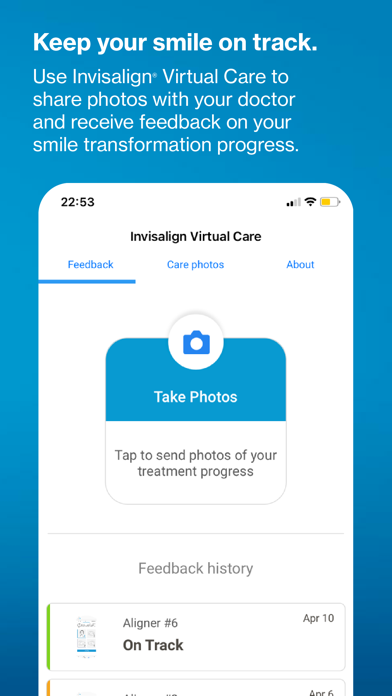
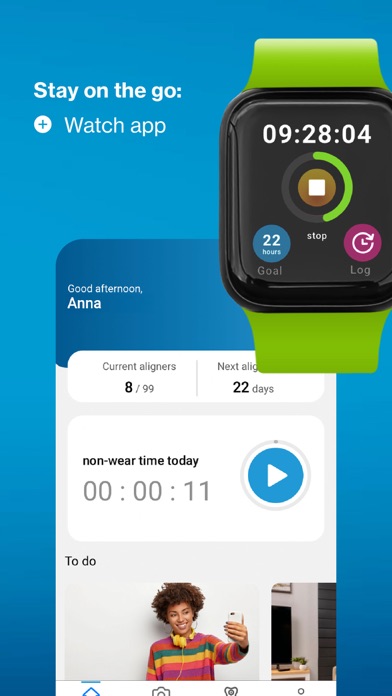
Looking to transform your smile with the most advanced clear aligner in the world? Now, you can get the most out of your Invisalign treatment with the only app that keeps you informed, inspired and supported as you improve your smile. Already had your teeth scanned? • View the ClinCheck treatment plan in the app shared by your doctor- available by doctor's invitation only. • Get use and care tips on Invisalign aligners. • Provide ratings and feedback on your experience with the app. Already an Invisalign patient? • View the ClinCheck treatment plan in the app shared by your doctor. This feature is available by doctor's invitation only. • Stay on track with your new smile by using Invisalign Virtual Care to share photos and receive feedback from your doctor. This feature is available by doctor's invitation only. • Monitor your wear-time progress with weekly, monthly, and yearly view…
App details
What you can learn from My Invisalign
Every shipping app on the App Store has gone through the same decisions you're working through right now: which screenshot goes first, what caption sits over it, which device frame to show, what color the background should be. The 5 screenshots above are My Invisalign's answers to those questions — they're public, they're real, and they made it through Apple's review.
Notice the first screenshot in particular. It's the one users see in search results and on the product page, and it's where most apps spend their best caption and tightest design. Look at the proportion of background to phone, where the text sits, what one thing the image is trying to communicate.
Want to see how other Medical apps approach the same problem? Browse more Medical apps in the showcase.
Take what works into your own screenshots
Open LaunchShots and design your App Store & Google Play screenshots — pick a device frame, drop captions, ship in minutes. Free, in your browser.
Open the screenshot editor →