Screenshots



iPad screenshots


Icon palette
About this app
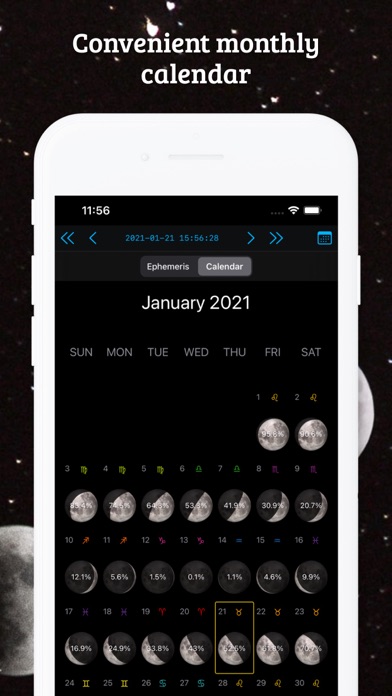
LunarSight is an astronomy app for Moon enthusiasts. It gives you access to the moon phase, moon calendar, ephemeris, orbital and positional data for any date and location on the earth, and some astrology info. FEATURES: • Select any date, time and location on earth. • Moon phase rendering. • Rise & Set times. • Altitude, illumination, azimuth, age and distance. • Phase stripe shows the entire moon cycle with selectable phases. • Accurate moon data tab with rise, transit and set times, altitude, azimuth, distance, phase angle, apogee, perigee, ascending node, descending node, right ascension, declination, ecliptic longitud and latitude, angular diameter and parallax. • Accurate ephemeris generation for the selected month and location. • Month calendar showing the moon phase and illuminated fraction for each day. • Astrological wheel chart showing moon & sun current constellations. • Ph…
App details
What you can learn from Moon Phase Calendar
Every shipping app on the App Store has gone through the same decisions you're working through right now: which screenshot goes first, what caption sits over it, which device frame to show, what color the background should be. The 17 screenshots above are Moon Phase Calendar's answers to those questions — they're public, they're real, and they made it through Apple's review.
Notice the first screenshot in particular. It's the one users see in search results and on the product page, and it's where most apps spend their best caption and tightest design. Look at the proportion of background to phone, where the text sits, what one thing the image is trying to communicate.
Want to see how other Weather apps approach the same problem? Browse more Weather apps in the showcase.
Take what works into your own screenshots
Open LaunchShots and design your App Store & Google Play screenshots — pick a device frame, drop captions, ship in minutes. Free, in your browser.
Open the screenshot editor →