Screenshots



iPad screenshots


Icon palette
About this app
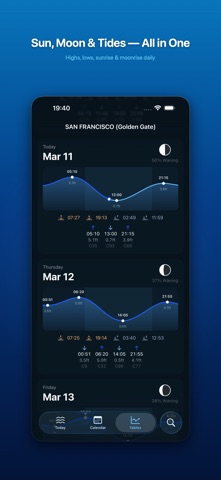
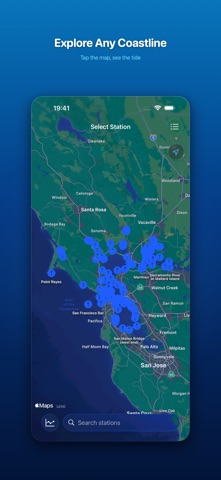
Know the tides before you go. Whether you're fishing, surfing, sailing, or exploring the coast, MyTides gives you precise tidal predictions for 6,000+ stations worldwide — entirely offline, right on your device. No internet required. Works anywhere, anytime. LIVE TIDE CHART See today's tide curve at a glance. A live marker tracks the current water level, while high and low tide times are clearly labeled. Scroll through days to plan ahead without ever needing a connection. DAILY CALENDAR Swipe through any date to see the full tidal picture. Each day shows the tidal range with high and low extremes. Moon phase icons mark new moons, full moons, and quarter phases. Tap any day to jump to its tide chart. DETAILED TIDE TABLES Browse tide data in a beautiful card-based layout. Every card includes a mini tide chart, all high and low tides with exact times and heights, tide coefficients, sun…
App details
What you can learn from My Tides
Every shipping app on the App Store has gone through the same decisions you're working through right now: which screenshot goes first, what caption sits over it, which device frame to show, what color the background should be. The 10 screenshots above are My Tides's answers to those questions — they're public, they're real, and they made it through Apple's review.
Notice the first screenshot in particular. It's the one users see in search results and on the product page, and it's where most apps spend their best caption and tightest design. Look at the proportion of background to phone, where the text sits, what one thing the image is trying to communicate.
Want to see how other Weather apps approach the same problem? Browse more Weather apps in the showcase.
Take what works into your own screenshots
Open LaunchShots and design your App Store & Google Play screenshots — pick a device frame, drop captions, ship in minutes. Free, in your browser.
Open the screenshot editor →