Chart position — tracked daily by LaunchShots
Screenshot style breakdown
Sampled from 4 of ACSI: Ente Promozione Sportiva's App Store screenshots — background, accent and theme, measured by LaunchShots (not something Apple publishes).
#242484 bg
#424295
#64D4CC accent
#FFFFFF text
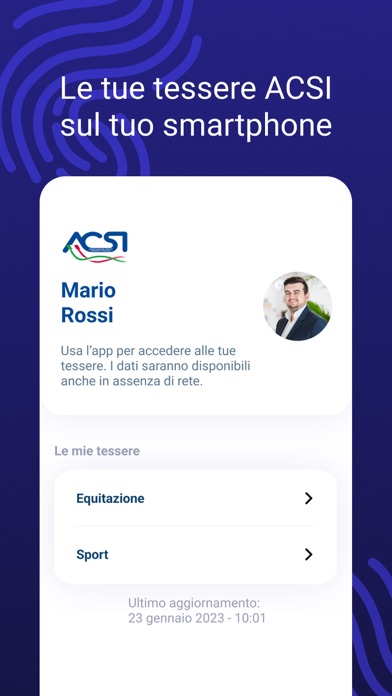
- #2Le tue tessere ACSI sul tuo smartphone
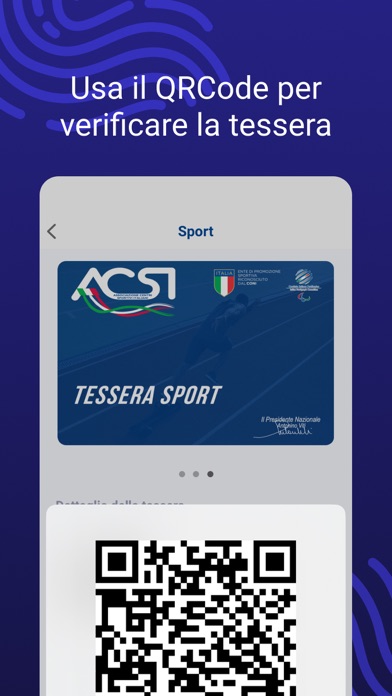
- #3Usa il QRCode per verificare la tessera
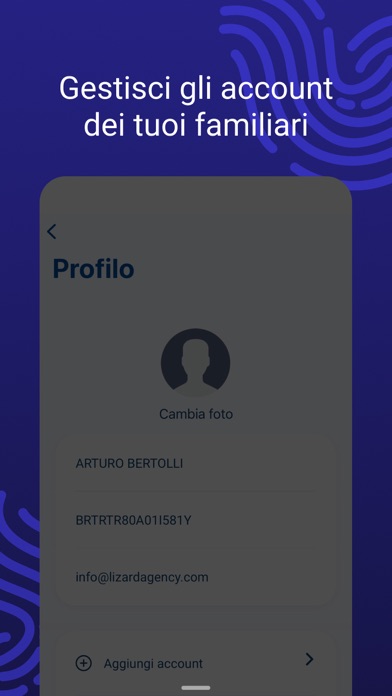
- #4Gestisci gli NE dei tuoi famili
Captions read from the screenshots (OCR, may contain small errors): 3 headlines, 6.7 words on average (longest 7).
Screenshots

Icon palette
About this app
ACSI è un ente di Promozione Sportiva riconosciuto dal CONI che opera su tutto il territorio italiano promuovendo lo sport senza barriere. L’app ufficiale ACSI permette ai tesserati di accedere alle proprie informazioni e di avere a portata di mano tutte le tessere sportive in formato digitale. Come funziona l’app ACSI: • accedi utilizzando il tuo codice fiscale • inserisci il tuo codice di verifica • accedi alle tue tessere digitali • accedi alle promo dei partner ACSI • accedi alle tue informazioni personali • gestisci da un unico dispositivo gli account dei tuoi familiari Potrai utilizzare l’app ACSI per gli accreditamenti degli eventi sportivi, sfruttando il QR Code anche in assenza di rete. Per ogni tua tessera disponibile potrai sempre visualizzare: • Numero di tessera • Validità del tesseramento • Discipline sportive • Sodalizio • Assicurazione Se non hai ancora registrato…
App details
What you can learn from ACSI: Ente Promozione Sportiva
Every shipping app on the App Store has gone through the same decisions you're working through right now: which screenshot goes first, what caption sits over it, which device frame to show, what color the background should be. The 4 screenshots above are ACSI: Ente Promozione Sportiva's answers to those questions — they're public, they're real, and they made it through Apple's review.
What the numbers say: ACSI: Ente Promozione Sportiva runs a mixed light-and-dark set where the background shifts from screenshot to screenshot (first shot #242484) — each image has to stand on its own, so the captions carry more of the story. The accent colour we picked up, #64D4CC, is the one to reuse for badges, arrows and highlighted words if you borrow this look. Hit Use this style to open the editor with these exact colours and drop your own screenshot in.
Notice the first screenshot in particular. It's the one users see in search results and on the product page, and it's where most apps spend their best caption and tightest design. Look at the proportion of background to phone, where the text sits, what one thing the image is trying to communicate.
Want to see how other Sports apps approach the same problem? Browse more Sports apps in the showcase.
Take what works into your own screenshots
Open LaunchShots and design your App Store & Google Play screenshots — pick a device frame, drop captions, ship in minutes. Free, in your browser.
Open the screenshot editor →Apps with a similar look
Closest background + accent colours among the listings we've analysed — useful when you want to see the same palette handled by a different team.