Screenshots



Icon palette
About this app
Travel smarter with GoMoWorld - the best travel eSIM app for cheap, fast, and secure international data. No SIM cards, no roaming fees, no hassle. Just instant global internet in 200+ destinations. GoMoWorld is your all-in-one travel eSIM solution. Whether you're going abroad for work, vacation, or remote life, GoMoWorld travel eSIM lets you stay connected the easy way. No need to hunt for Wi-Fi or pay outrageous roaming charges - just install your eSIM once and get online in minutes. Why choose GoMoWorld travel eSIM for your travel data? • Global eSIM coverage in over 200 destinations • Mobile roaming data plans starting from just €3.99 • No contracts, no hidden fees, no bill shocks • Connect to local partner networks - fast and reliable, up to 5G • Full-speed internet - no throttling or restrictions • Keep your current phone number and SIM for calls & texts • Use your favorite apps…
App details
What you can learn from GoMoWorld: Travel eSIM | Data
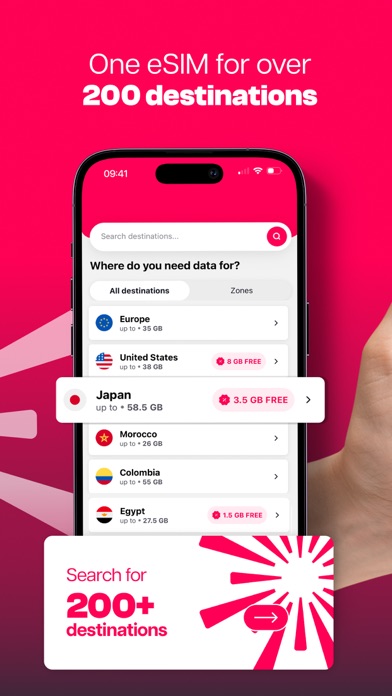
Every shipping app on the App Store has gone through the same decisions you're working through right now: which screenshot goes first, what caption sits over it, which device frame to show, what color the background should be. The 7 screenshots above are GoMoWorld: Travel eSIM | Data's answers to those questions — they're public, they're real, and they made it through Apple's review.
Notice the first screenshot in particular. It's the one users see in search results and on the product page, and it's where most apps spend their best caption and tightest design. Look at the proportion of background to phone, where the text sits, what one thing the image is trying to communicate.
Want to see how other Travel apps approach the same problem? Browse more Travel apps in the showcase.
Take what works into your own screenshots
Open LaunchShots and design your App Store & Google Play screenshots — pick a device frame, drop captions, ship in minutes. Free, in your browser.
Open the screenshot editor →