Screenshot changes — detected by LaunchShots
Screenshot style breakdown
Sampled from 6 of 横浜銀行アプリ‐はまぎん365(サンロクゴ)-'s App Store screenshots — background, accent and theme, measured by LaunchShots (not something Apple publishes).
#F4ECEC bg
#D6CFCF
#1C4494 accent
#111111 text
Reading the caption text from the screenshots in your browser…
Screenshots




Icon palette
About this app
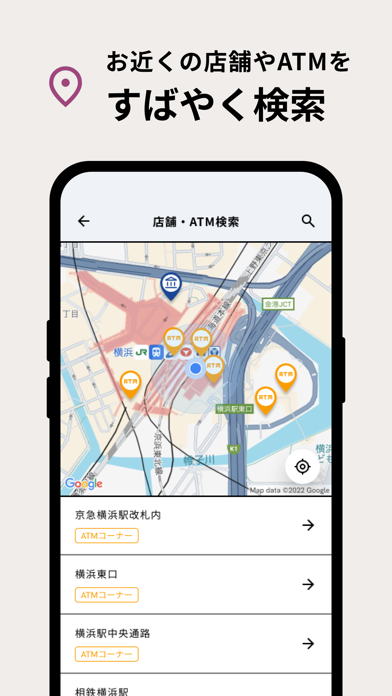
---------- おもな機能 ---------- ◆残高・入出金明細照会 ◆振込・振替 ◆ワンタイムパスワード ◆目的預金 ◆税金・各種料金の払込み「PayB(ペイビー)」「Pay-easy(ペイジー)」 ◆カードローンの借入・返済 ◆資産管理機能(Moneytree ID連携) ◆普通預金・外貨普通預金の口座開設 ◆住宅ローンやマイカーローンなどのお借入残高・ご契約内容の照会 ◆店舗・ATM検索 ◆氏名・住所・電話番号変更 そのほか、「はまぎん365」ならではの機能も充実…! ◆For YOU あなたの興味・関心にあわせて暮らしに役立つ情報を配信する機能 ◆みんなと比較 「同世代はどれぐらい資産があるのだろう?」など素朴な疑問を可視化して、自分の資産と比較ができる機能 ◆資産寿命シミュレーション あなたの収入や家族構成・ライフスタイルなどから、100歳までの収支と資産寿命をシミュレーションできる機能 ◆チャット機能 お客さまの潜在ニーズなどにあわせたメッセージを配信し、チャット形式で情報提供をおこなう機能 ◆カラー・テーマカスタマイズ あなたの好みにあわせてアプリのカラーやテー…
App details
What you can learn from 横浜銀行アプリ‐はまぎん365(サンロクゴ)-
Every shipping app on the App Store has gone through the same decisions you're working through right now: which screenshot goes first, what caption sits over it, which device frame to show, what color the background should be. The 8 screenshots above are 横浜銀行アプリ‐はまぎん365(サンロクゴ)-'s answers to those questions — they're public, they're real, and they made it through Apple's review.
What the numbers say: 横浜銀行アプリ‐はまぎん365(サンロクゴ)- runs a light set with one background colour (#F4ECEC) carried across every screenshot — the listing reads as a single poster when the shots sit side by side in search results. The accent colour we picked up, #1C4494, is the one to reuse for badges, arrows and highlighted words if you borrow this look. Hit Use this style to open the editor with these exact colours and drop your own screenshot in.
Notice the first screenshot in particular. It's the one users see in search results and on the product page, and it's where most apps spend their best caption and tightest design. Look at the proportion of background to phone, where the text sits, what one thing the image is trying to communicate.
Want to see how other Finance apps approach the same problem? Browse more Finance apps in the showcase.
Take what works into your own screenshots
Open LaunchShots and design your App Store & Google Play screenshots — pick a device frame, drop captions, ship in minutes. Free, in your browser.
Open the screenshot editor →Apps with a similar look
Closest background + accent colours among the listings we've analysed — useful when you want to see the same palette handled by a different team.