Screenshots


iPad screenshots


Icon palette
About this app
The best SCORE COUNTER - POINT COUNTER app you can find in the store You want to keep scores for your games, activities, sports, points but hard to find a pen and paper, hard to keep score in your mind, tired to be a person who will keep score of a game, match? Let's try Score Counter, this app will keep score, count score quickly. You just need to tap to screen and Score Counter will do everything automatically, simple, intuitive. WHY CHOOSE SCORE COUNTER - POINT COUNTER? • Easy to use • Intuitive and simple design • Quickly adding any amount of points • Suitable for any game • Custom increments • Works for big numbers TOTALLY FREE IF YOU WANT TO SUPPORT US - You can support us by: + Using application + Giving us feedback + Rating and leave a comment for application Thanks so much!!
App details
What you can learn from Score Counter - Point Counter
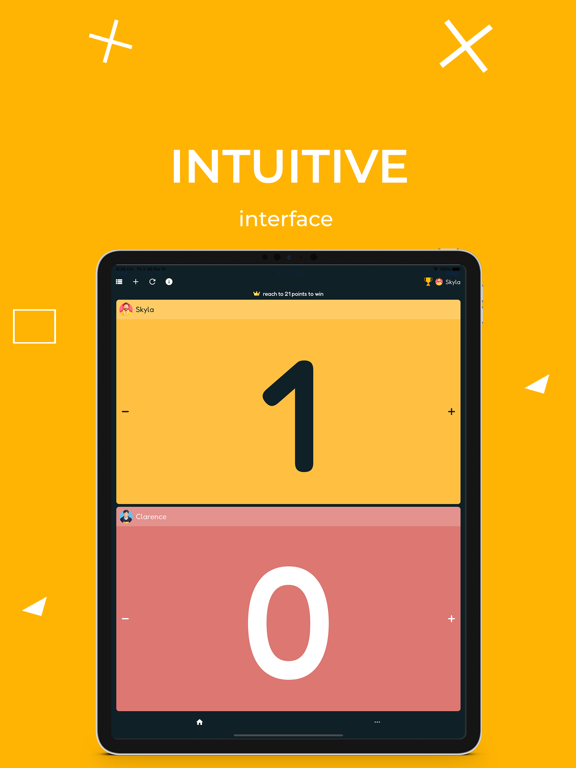
Every shipping app on the App Store has gone through the same decisions you're working through right now: which screenshot goes first, what caption sits over it, which device frame to show, what color the background should be. The 12 screenshots above are Score Counter - Point Counter's answers to those questions — they're public, they're real, and they made it through Apple's review.
Notice the first screenshot in particular. It's the one users see in search results and on the product page, and it's where most apps spend their best caption and tightest design. Look at the proportion of background to phone, where the text sits, what one thing the image is trying to communicate.
Want to see how other Sports apps approach the same problem? Browse more Sports apps in the showcase.
Take what works into your own screenshots
Open LaunchShots and design your App Store & Google Play screenshots — pick a device frame, drop captions, ship in minutes. Free, in your browser.
Open the screenshot editor →