launchshots / showcase / education / duolingo: language lessons

Duolingo: Language Lessons

Education 4.7 (5,446,683) Free 4+ 492 MB

Chart position — tracked daily by LaunchShots

#1 of 100
Top Free Education · United States
best #1 · 15 days tracked · as of Sep 20
— / 7d
#1 of 100
Top Free Education · Brazil
best #1 · 24 days tracked · as of Sep 20
— / 7d
#1 of 100
Top Free Education · Argentina
best #1 · 14 days tracked · as of Sep 20
— / 7d
#1 of 100
Top Free Education · UAE
best #1 · 21 days tracked · as of Sep 20
— / 7d
#1 of 100
Top Free Education · Sweden
best #1 · 13 days tracked · as of Sep 20
▲ 3 / 7d
+ 45 more charts

Screenshot changes — detected by LaunchShots

Sep 8, 2026
Duolingo: Language Lessons replaced the screenshot images (same count, theme and layout).
Aug 30, 2026
Duolingo: Language Lessons replaced the screenshot images (same count, theme and layout).
Aug 23, 2026
Duolingo: Language Lessons switched from a mixed to a light theme; moved to caption blocks laid over full-bleed screens (was full-bleed screens without captions); changed the background colour from #FC9404 to #FCFCFC; changed the accent colour from #FCCC8C to #FC840C; unified every screenshot on one background colour.

Screenshot style breakdown

Sampled from 6 of Duolingo: Language Lessons's App Store screenshots — background, accent and theme, measured by LaunchShots (not something Apple publishes).

Use this style →
8 iPhone screenshots · 8 iPad Light theme One background colour across the set
#FCFCFC bg #DDDDDD #FC840C accent #111111 text

Reading the caption text from the screenshots in your browser…

vs. Education apps we've analysed (3317): 50% use a light theme — so does Duolingo: Language Lessons; 31% put the caption above the phone — Duolingo: Language Lessons lays a caption block over the screen; the average set has 6.1 screenshots — Duolingo: Language Lessons ships 8. Full Education benchmark →

Screenshots

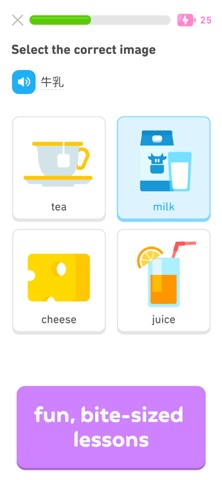
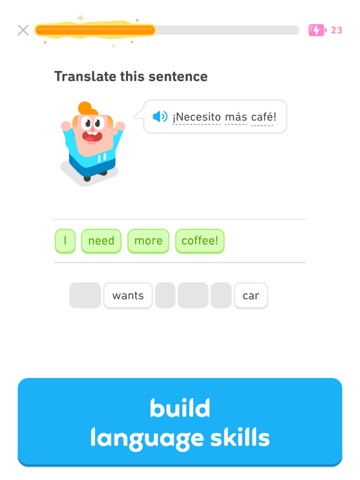
#1 Duolingo: Language Lessons iPhone screenshot 1
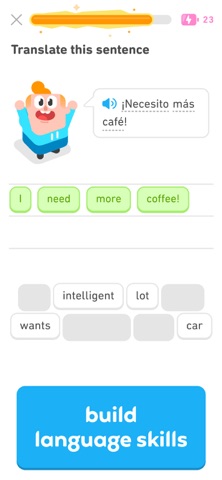
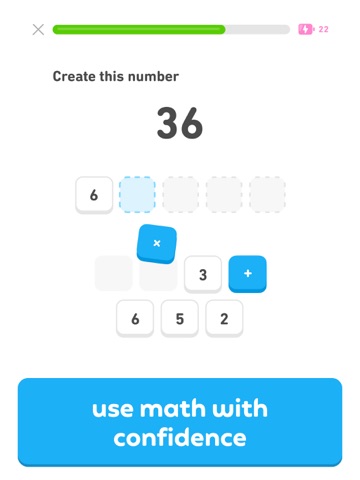
#2 Duolingo: Language Lessons iPhone screenshot 2
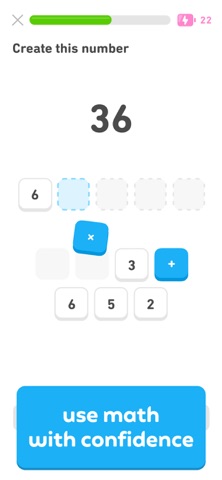
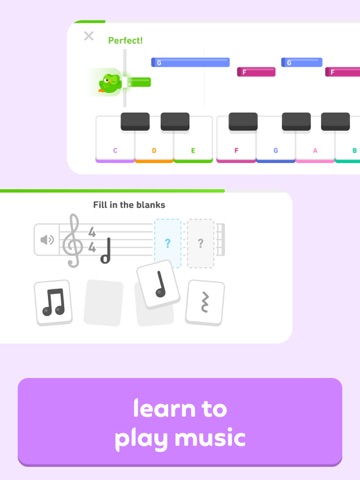
#3 Duolingo: Language Lessons iPhone screenshot 3
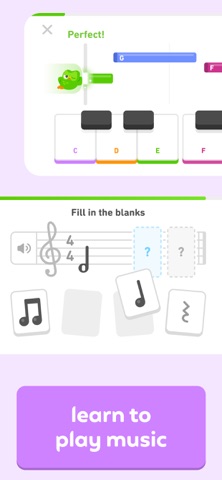
#4 Duolingo: Language Lessons iPhone screenshot 4
#5 Duolingo: Language Lessons iPhone screenshot 5
#6 Duolingo: Language Lessons iPhone screenshot 6
#7 Duolingo: Language Lessons iPhone screenshot 7
#8 Duolingo: Language Lessons iPhone screenshot 8

iPad screenshots

#1 Duolingo: Language Lessons iPad screenshot 1
#2 Duolingo: Language Lessons iPad screenshot 2
#3 Duolingo: Language Lessons iPad screenshot 3
#4 Duolingo: Language Lessons iPad screenshot 4
#5 Duolingo: Language Lessons iPad screenshot 5
#6 Duolingo: Language Lessons iPad screenshot 6
#7 Duolingo: Language Lessons iPad screenshot 7
#8 Duolingo: Language Lessons iPad screenshot 8

Icon palette

extracting…
Dominant colors sampled from the icon — click any swatch to copy the hex.

About this app

Learn a new language, chess & more with the world's most downloaded education app! Duolingo is the fun, free app for learning 40+ languages through quick, bite-sized lessons. Practice speaking, reading, listening & writing to build your vocabulary & grammar skills. Designed by learning experts & loved by hundreds of millions worldwide, our lessons make learning effective & fun and help you prepare for real conversations in Spanish, French, Japanese, Korean, Chinese, Italian, German, English and more. And now, you can learn CHESS on Duolingo! Whether you're a total beginner or looking to level up your game, you'll love learning chess the Duolingo way. Play matches and fun chess lessons for all levels, no matter the language - chess, ajedrez, xadrez, schach, Шахматы, الشطرنج. • Chess: Learn the moves, level up your game & play matches in our Chess course. Learn the basics, solve fun c…

App details

Bundle ID
com.duolingo.DuolingoMobile
Latest version
7.140.0
Released
Nov 13, 2012
Last updated
Sep 14, 2026
Languages
32 (AR, BN, CS, NL, EN…)
Genres
Education, Social Networking

What you can learn from Duolingo: Language Lessons

Every shipping app on the App Store has gone through the same decisions you're working through right now: which screenshot goes first, what caption sits over it, which device frame to show, what color the background should be. The 16 screenshots above are Duolingo: Language Lessons's answers to those questions — they're public, they're real, and they made it through Apple's review.

What the numbers say: Duolingo: Language Lessons runs a light set with one background colour (#FCFCFC) carried across every screenshot — the listing reads as a single poster when the shots sit side by side in search results. The accent colour we picked up, #FC840C, is the one to reuse for badges, arrows and highlighted words if you borrow this look. Hit Use this style to open the editor with these exact colours and drop your own screenshot in.

Notice the first screenshot in particular. It's the one users see in search results and on the product page, and it's where most apps spend their best caption and tightest design. Look at the proportion of background to phone, where the text sits, what one thing the image is trying to communicate.

Want to see how other Education apps approach the same problem? Browse more Education apps in the showcase.

Take what works into your own screenshots

Open LaunchShots and design your App Store & Google Play screenshots — pick a device frame, drop captions, ship in minutes. Free, in your browser.

Open the screenshot editor →

Apps with a similar look

Closest background + accent colours among the listings we've analysed — useful when you want to see the same palette handled by a different team.

联通云盘,安全免流不限速
#FCFCFC #FC8414
Zepp Life (Formerly MiFit)
#FCFCFC #FC8C0C
Råvara
#FCFCFC #FC8404
ParkingMyCar – App parcheggio
#FCFCFC #FC8404
Vivint
#FCFCFC #FC8404
울산공장 출입인증 MDM
#FCFCFC #FC8404

More Education apps

Latest from the blog

News
iOS Release Season Checklist: Update Your App Store Listing for iOS 17
Sep 20, 2026
ASO
Writing an App Store Description People Finish Reading
Sep 19, 2026
Guides
iPad Screenshots: When and How to Design Once for All
Sep 18, 2026
Tips
Onboarding Screens vs. Marketing Screenshots: Why They Differ
Sep 17, 2026
1 / 1
copied