Screenshots



Icon palette
About this app
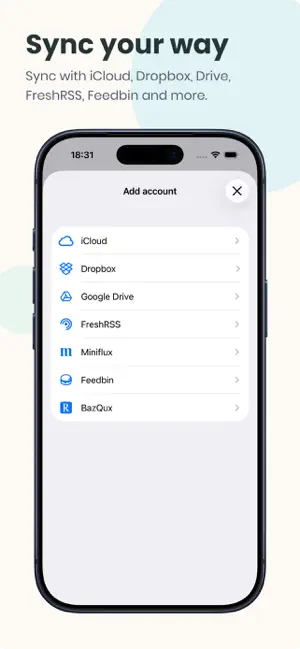
FeedFlow is a minimal RSS reader designed for one thing: keeping up with the open web without noise. Follow your favorite blogs and news sites in a clean, chronological timeline. No algorithms decide what you see — just your feeds, in the order they were published. Read Your Way - Open articles in your browser, or use Reader Mode for a clutter-free view. - Adjust text size and spacing for comfortable reading. - Cache full articles for offline reading — perfect for commutes, flights, or anywhere without a connection. Sync That Fits Your Setup - iCloud sync keeps your feeds, read status, and bookmarks in sync across iPhone, iPad, and Mac — effortlessly. - Or choose another backend: Dropbox, Google Drive, or self-hosted services like FreshRSS, Miniflux, Feedbin, and BazQux. - Your reading progress follows you everywhere. Stay Organized - Import and export feeds with OPML. - Block keywo…
App details
What you can learn from FeedFlow - RSS Feed Reader
Every shipping app on the App Store has gone through the same decisions you're working through right now: which screenshot goes first, what caption sits over it, which device frame to show, what color the background should be. The 5 screenshots above are FeedFlow - RSS Feed Reader's answers to those questions — they're public, they're real, and they made it through Apple's review.
Notice the first screenshot in particular. It's the one users see in search results and on the product page, and it's where most apps spend their best caption and tightest design. Look at the proportion of background to phone, where the text sits, what one thing the image is trying to communicate.
Want to see how other News apps approach the same problem? Browse more News apps in the showcase.
Take what works into your own screenshots
Open LaunchShots and design your App Store & Google Play screenshots — pick a device frame, drop captions, ship in minutes. Free, in your browser.
Open the screenshot editor →