Chart position — tracked daily by LaunchShots
Screenshot style breakdown
Sampled from 5 of Mevo Profissionais's App Store screenshots — background, accent and theme, measured by LaunchShots (not something Apple publishes).
#FCC4D4 bg
#DDACBA
#3C0C6C accent
#111111 text
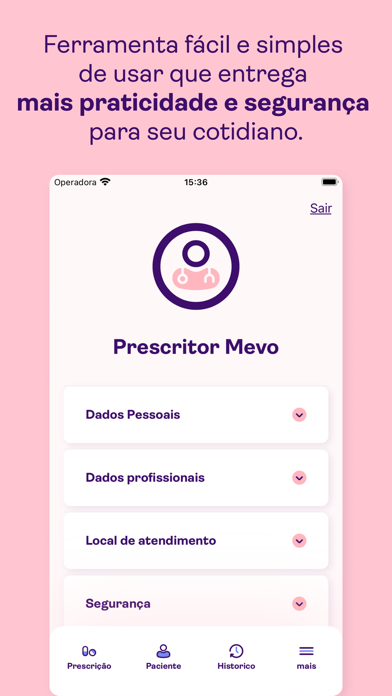
- #1Ferramenta fácil e simples de usar que entrega mais praticidade e segurança
- #2Prescreva receitas, pedidos de exames, atestados, encaminhamentos e relatórios
- #3A receita digital usada nos maiores hospitais do pais agora disponivel para vocé
- #4Cadastre seus pacientes e tenha o histórico de tratamento sempre à mão.
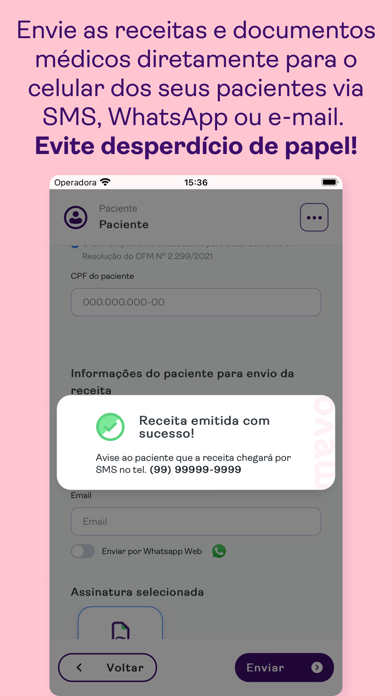
- #5Envie as receitas e documentos médicos diretamente para o celular dos seus pacientes via
Captions read from the screenshots (OCR, may contain small errors): 5 headlines, 12 words on average (longest 14).
Screenshots


iPad screenshots


Icon palette
About this app
O Mevo Profissionais é o aplicativo para prescrever receitas, exames, atestados e documentos médicos em geral, sem desperdício de papel. Com uma interface fácil de usar e funcionalidades que descomplicam o dia a dia de trabalho, os profissionais de saúde se livram das longas e repetitivas jornadas de cliques dos prontuários e sistemas de prescrição padrões. Agora, é possível prescrever para seus pacientes de qualquer lugar e com poucos toques oferecendo um atendimento ágil e de qualidade. Com o Mevo Profissionais você: - Emite receitas, solicitação de exames, atestados e documentos médicos em geral em um único lugar; - Gerencia os documentos e receitas enviados aos pacientes; - Tem o histórico de tratamento de seus pacientes sempre disponível; - Cria seus próprios modelos e protocolos de tratamento, aumentando sua produtividade. - Conta com ferramenta de suporte a decisão clínica; - Eco…
App details
What you can learn from Mevo Profissionais
Every shipping app on the App Store has gone through the same decisions you're working through right now: which screenshot goes first, what caption sits over it, which device frame to show, what color the background should be. The 9 screenshots above are Mevo Profissionais's answers to those questions — they're public, they're real, and they made it through Apple's review.
What the numbers say: Mevo Profissionais runs a light set with one background colour (#FCC4D4) carried across every screenshot — the listing reads as a single poster when the shots sit side by side in search results. The accent colour we picked up, #3C0C6C, is the one to reuse for badges, arrows and highlighted words if you borrow this look. Hit Use this style to open the editor with these exact colours and drop your own screenshot in.
Notice the first screenshot in particular. It's the one users see in search results and on the product page, and it's where most apps spend their best caption and tightest design. Look at the proportion of background to phone, where the text sits, what one thing the image is trying to communicate.
Want to see how other Medical apps approach the same problem? Browse more Medical apps in the showcase.
Take what works into your own screenshots
Open LaunchShots and design your App Store & Google Play screenshots — pick a device frame, drop captions, ship in minutes. Free, in your browser.
Open the screenshot editor →Apps with a similar look
Closest background + accent colours among the listings we've analysed — useful when you want to see the same palette handled by a different team.