Chart position — tracked daily by LaunchShots
Screenshot changes — detected by LaunchShots
Screenshot style breakdown
Sampled from 5 of Sanad Finance | سند للتمويل's App Store screenshots — background, accent and theme, measured by LaunchShots (not something Apple publishes).
#445CBC bg
#5E72C5
#74CCD4 accent
#FFFFFF text
Screenshots


iPad screenshots


Icon palette
About this app
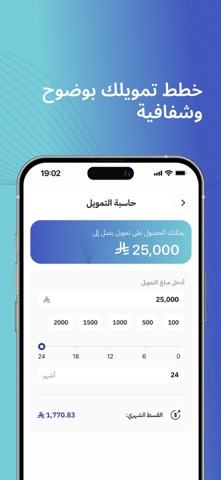
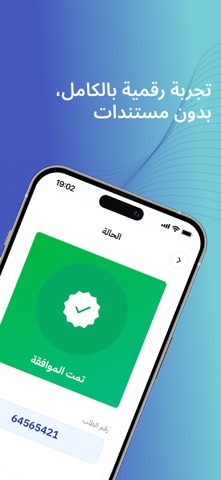
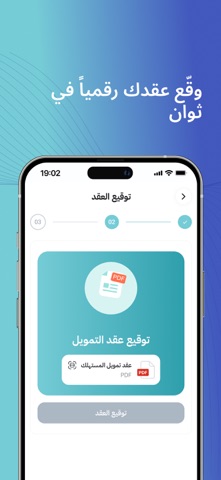
يتيح لك تطبيق سند طلب تمويل سريع وفوري حتى 30,000 ريال، بدون كفيل وبدون تحويل راتب، من خلال تجربة سهله ورقمية بالكامل. سند شركة تمويل مرخصة وخاضعة لإشراف ورقابة البنك المركزي السعودي، وتقدم حلول تمويل متوافقة مع أحكام الشريعة الإسلامية. اطلب تمويلك أينما كنت بخطوات بسيطة: • حمّل تطبيق سند وسجّل بياناتك. • قدّم طلب التمويل إلكترونيًا. • تابع حالة طلبك من داخل التطبيق. • وقّع العقد رقميًا بعد الموافقة. • استلم مبلغ التمويل في حسابك البنكي بعد استكمال الإجراءات. لماذا تختار سند للتمويل؟ • تمويل سريع وفوري ومرن حتى 30,000 ريال. • إيداع سريع بعد الموافقة واستكمال الإجراءات. • بدون كفيل وبدون تحويل راتب. • تجربة رقمية بالكامل بدون رفع مستندات. • تقديم الطلب ومتابعته وتوقيع العقد إلكترونيًا. • متوافق مع أحكام الشريعة الإسلامية. • مرخص وخاضع لإشراف ورقابة البنك المركزي السعودي. • خيارات تمويل وأسعار تنافسية. حمّل تطبيق سند وابدأ طلب تمويلك اليوم. سند تسندك!
App details
What you can learn from Sanad Finance | سند للتمويل
Every shipping app on the App Store has gone through the same decisions you're working through right now: which screenshot goes first, what caption sits over it, which device frame to show, what color the background should be. The 10 screenshots above are Sanad Finance | سند للتمويل's answers to those questions — they're public, they're real, and they made it through Apple's review.
What the numbers say: Sanad Finance | سند للتمويل runs a mixed light-and-dark set where the background shifts from screenshot to screenshot (first shot #445CBC) — each image has to stand on its own, so the captions carry more of the story. The accent colour we picked up, #74CCD4, is the one to reuse for badges, arrows and highlighted words if you borrow this look. Hit Use this style to open the editor with these exact colours and drop your own screenshot in.
Notice the first screenshot in particular. It's the one users see in search results and on the product page, and it's where most apps spend their best caption and tightest design. Look at the proportion of background to phone, where the text sits, what one thing the image is trying to communicate.
Want to see how other Finance apps approach the same problem? Browse more Finance apps in the showcase.
Take what works into your own screenshots
Open LaunchShots and design your App Store & Google Play screenshots — pick a device frame, drop captions, ship in minutes. Free, in your browser.
Open the screenshot editor →Apps with a similar look
Closest background + accent colours among the listings we've analysed — useful when you want to see the same palette handled by a different team.