Screenshots


Icon palette
About this app
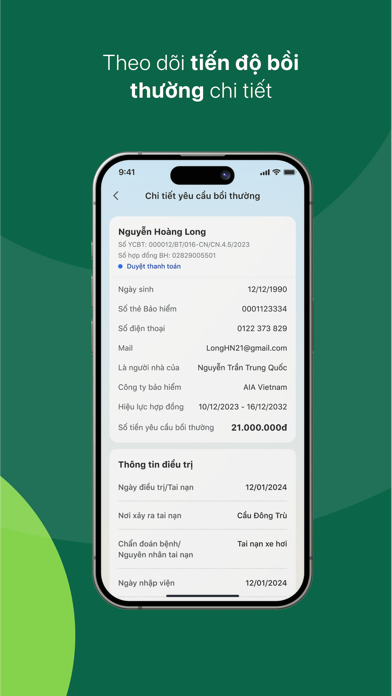
AZINSU là ứng dụng quản lý, tạo yêu cầu bồi thường bảo hiểm được thiết kế phục vụ nhu cầu thực tế của gia đình Việt. Với AZINSU, khách hàng có thể tạo yêu cầu bảo hiểm, tra cứu bồi thường mọi lúc, mọi nơi cho hầu hết thương hiệu bảo hiểm uy tín. AZINSU đang hỗ trợ cho khách hàng với hai loại sản phẩm: Bảo hiểm sức khỏe và Bảo hiểm tai nạn. Các tính năng chính của ứng dụng bao gồm: 1.Tạo yêu cầu bồi thường Thay vì đến tận trụ sở cơ quan bảo hiểm để làm thủ tục bồi thường, khách hàng chỉ cần thực hiện trên ứng dụng AZINSU với chỉ vài thao tác nhanh, đơn giản, tiết kiệm thời gian. Không chỉ tự tạo yêu cầu bồi thường cho chính mình, người dùng còn có thể quản lý và tạo yêu cầu bồi thường cho người thân. 2. Hợp đồng bảo hiểm: AZINSU có tính năng tổng hợp tất cả hợp đồng bảo hiểm của các thành viên trong gia đình giúp khách hàng quản lý một cách dễ dàng, đầy đủ, chính xác quyền lợi c…
App details
What you can learn from AZINSU
Every shipping app on the App Store has gone through the same decisions you're working through right now: which screenshot goes first, what caption sits over it, which device frame to show, what color the background should be. The 8 screenshots above are AZINSU's answers to those questions — they're public, they're real, and they made it through Apple's review.
Notice the first screenshot in particular. It's the one users see in search results and on the product page, and it's where most apps spend their best caption and tightest design. Look at the proportion of background to phone, where the text sits, what one thing the image is trying to communicate.
Want to see how other Medical apps approach the same problem? Browse more Medical apps in the showcase.
Take what works into your own screenshots
Open LaunchShots and design your App Store & Google Play screenshots — pick a device frame, drop captions, ship in minutes. Free, in your browser.
Open the screenshot editor →