Chart position — tracked daily by LaunchShots
Screenshot changes — detected by LaunchShots
Screenshot style breakdown
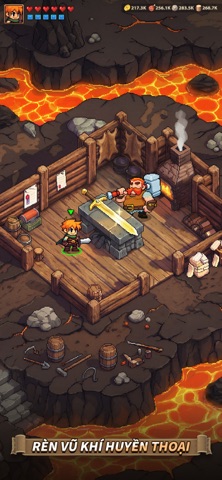
Sampled from 6 of Thời Đại Anh Hùng's App Store screenshots — background, accent and theme, measured by LaunchShots (not something Apple publishes).
#0C1C34 bg
#2E3B50
#BC2444 accent
#FFFFFF text
Screenshots




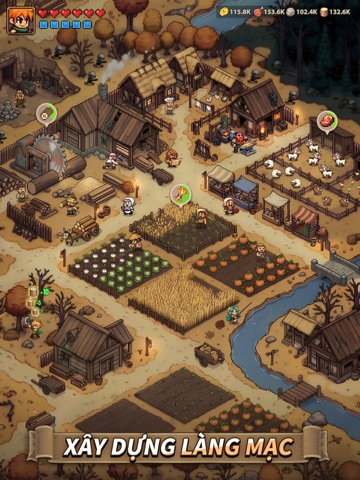
iPad screenshots



Icon palette
About this app
Cậu bé mất tích xuất hiện: Sự kiện hợp tác giữa Thời Đại Anh Hùng x Cậu bé mất tích đã chính thức ra mắt! Đến khám phá Thế Giới Lộn Ngược, chiến đấu chống lại Demogorgon và nhận ngay các anh hùng SSR cùng với các phần thưởng giới hạn khác! Thời Đại Anh Hùng là tựa game nhập vai chiến thuật lấy bối cảnh thế giới giả tưởng đầy cuốn hút. Một hành trình phiêu lưu đầy kịch tính đang chờ đón bạn khám phá những vùng đất chưa từng được khai phá. Thế giới đang bị đe dọa bởi thế lực đen tối cổ xưa, khiến vạn vật bị đẩy đến bờ vực hỗn loạn. Liệu bạn có thể dẫn dắt đội quân anh hùng của mình giành chiến thắng và khôi phục lại hòa bình cho vùng đất này? Chiêu mộ những anh hùng huyền thoại từ khắp mọi miền, mỗi người sở hữu những năng lực và kỹ năng riêng biệt. Từ những hiệp sĩ dũng cảm đến các pháp sư mưu lược, hãy xây dựng đội hình trong mơ và dẫn dắt đế chế của bạn đến vinh quang nào! ◆ BẠN LÀ …
App details
What you can learn from Thời Đại Anh Hùng
Every shipping app on the App Store has gone through the same decisions you're working through right now: which screenshot goes first, what caption sits over it, which device frame to show, what color the background should be. The 12 screenshots above are Thời Đại Anh Hùng's answers to those questions — they're public, they're real, and they made it through Apple's review.
What the numbers say: Thời Đại Anh Hùng runs a dark set where the background shifts from screenshot to screenshot (first shot #0C1C34) — each image has to stand on its own, so the captions carry more of the story. The accent colour we picked up, #BC2444, is the one to reuse for badges, arrows and highlighted words if you borrow this look. Hit Use this style to open the editor with these exact colours and drop your own screenshot in.
Notice the first screenshot in particular. It's the one users see in search results and on the product page, and it's where most apps spend their best caption and tightest design. Look at the proportion of background to phone, where the text sits, what one thing the image is trying to communicate.
Want to see how other Games apps approach the same problem? Browse more Games apps in the showcase.
Take what works into your own screenshots
Open LaunchShots and design your App Store & Google Play screenshots — pick a device frame, drop captions, ship in minutes. Free, in your browser.
Open the screenshot editor →Apps with a similar look
Closest background + accent colours among the listings we've analysed — useful when you want to see the same palette handled by a different team.