Your feedback shipped: zoom fixes, 23 fonts, and project files
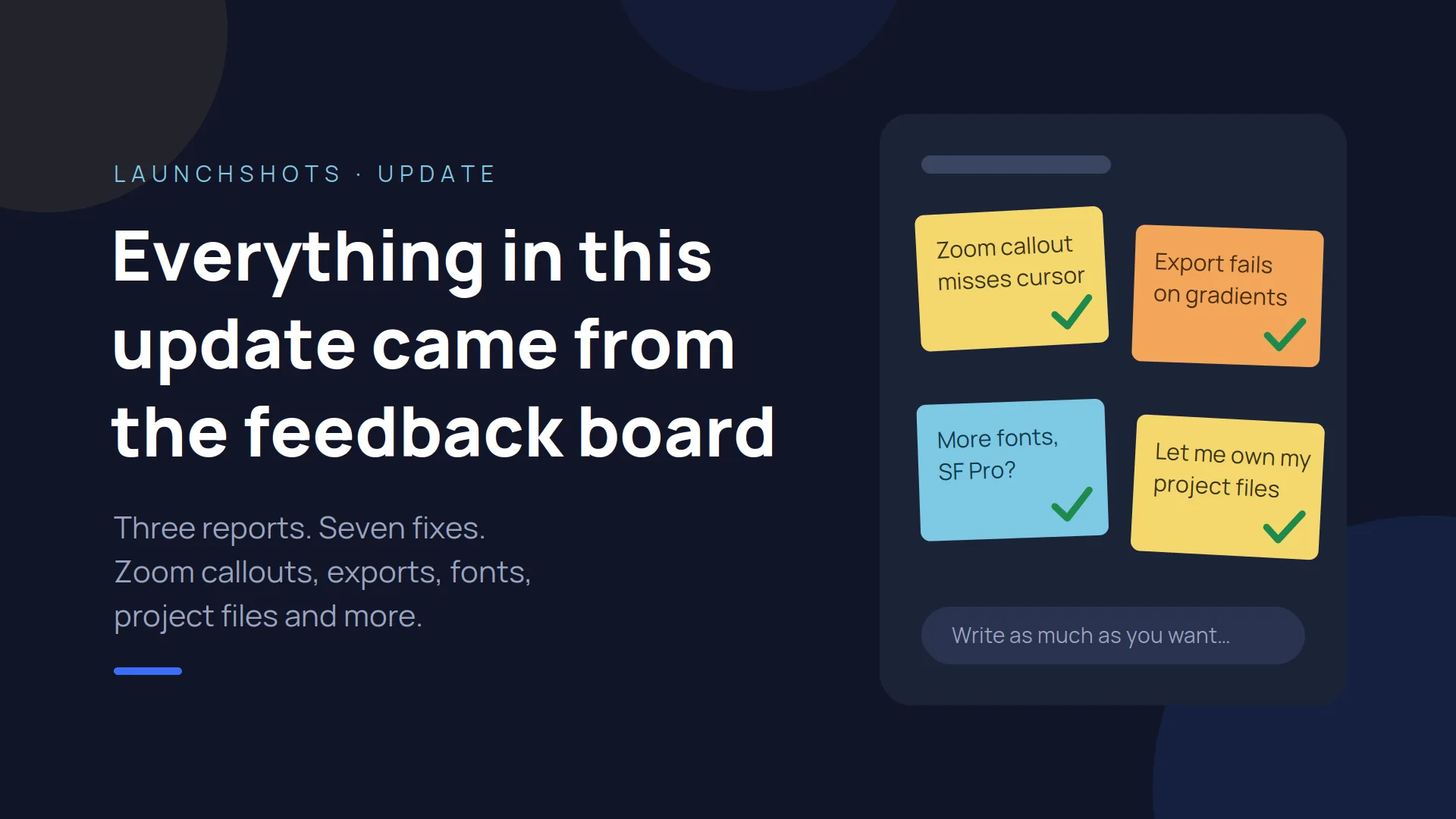
Everything in this update came from the feedback board. Three people took the time to write up what was broken or missing, and this is what came out of it.
Zoom callouts landed nowhere near your cursor
This was the big one. Someone came to LaunchShots specifically for the zoom callout feature, and it was broken for them: drag a box and the highlight would appear somewhere off to the side.
The cause turned out to be one mistake repeated all over the editor. When you zoom in, the canvas is scaled visually, but the code was mixing scaled screen coordinates with the canvas's own unscaled ones. At 100% the two happen to be identical, so it looked fine. The further you zoomed, the further everything drifted.
All the pointer maths now runs through a single conversion step. Measured at 200% zoom, the box tracks your cursor within one pixel. The same drift was quietly affecting stickers, annotations and award badges too — all fixed in one go.
Exports failed on gradient and mesh backgrounds
A second report: exporting with certain gradient or mesh backgrounds died with "The provided double value is non-finite." Solid colours were fine.
The renderer turns every CSS gradient into a canvas gradient, and converts each colour stop into a ratio by dividing it by the gradient's length. If any element in the design measures zero pixels wide or tall, that length is zero — and dividing by zero gives you a value the browser refuses to accept. One invisible element could take down the whole export.
There are now two guards against it, and I reproduced the failure deliberately before and after to be sure it was really gone.
You couldn't scroll to the bottom when zoomed in
Also reported, also real. Zooming scaled the canvas but never reserved any room to scroll into, so the bottom of your design was simply unreachable. The scroll area now grows with the zoom level.
Nine fonts became twenty-three
The same report asked for a wider font selection, specifically SF Pro. Here's the honest answer on that one: SF Pro is licensed for Apple's own platforms and can't legally be served as a web font, so no browser-based tool can include it. What I could do is add the closest open equivalent.
Alongside it: Manrope, DM Sans, Figtree, Albert Sans, Archivo, Instrument Serif, Lora Black and Bricolage Grotesque. The dropdown is now grouped by style — Serif, Sans, Display and Mono — so it's still quick to scan.
Project files you actually own
One request came from someone who wanted confidence that their work was stored somewhere real. They'd resorted to copying the project JSON out of browser storage by hand, which is a completely fair thing to be annoyed about.
The Projects panel now has Export project file and Import project file — one .json containing the whole project, screenshots included. Back it up, move it to another computer, or send it to a teammate. Importing drops it straight onto the canvas and saves it into your project list.
There's still no account or sign-in, and that's deliberate — accounts would mean uploading your screenshots to a server, and LaunchShots doesn't do that. The file is yours instead.
A different screenshot for each language
Until now you could translate your captions, but every language shared the same screenshot. If your app itself is localised, that wasn't much use.
Now, when you switch the preview to a language, a Screenshot for that language upload appears in the Screenshot panel. Whatever you drop there replaces the default for that language only — and it carries through to the ZIP export, where each locale folder gets its own image. Languages without one fall back to your default screenshot, so projects that only translate captions work exactly as before.
And the feedback box itself
Buried at the end of one report: "I wanted to leave more feedback but this input box is restricting me."
It was silently cutting submissions off at 1,000 characters. No warning, not stopping you — just quietly dropping the end of what you wrote. That's now gone entirely, in the form and behind it. Write as much as you want.
Keep them coming
Every single item above exists because someone wrote it down. I read all of it, and I act on it.
If something's broken, missing, or just annoying, the feedback box is right there. And if you spot a bug, the detail in those three reports — what you did, what happened, what you expected — is exactly what made them quick to fix.
Related posts

Make your App Store screenshots free
LaunchShots is a free, in-browser screenshot maker. No signup, no watermark.
Open the app →
Comments (0)