Screenshots




Icon palette
About this app
Feeling overwhelmed by keeping your online accounts secure? Authentication is a perfect two-factor authentication (2FA) solution for all your accounts. Very easy to use and 100% secure. Two-factor authentication (2FA), adds an extra layer of security to your online accounts. Authenticator employs a cutting-edge security method called Time-Based One-Time Password (TOTP) to generate unique codes. These codes change every 30 seconds, ensuring that even if someone intercepts one code, they cannot use it to gain access. This two-step autentication significantly reduces the risk of unauthorized access, even if your password is compromised. Key Features: - Strong Two-Factor Authentication (2FA): Safeguard your accounts with the industry-standard TOTP method. - Offline Capability: Continue to protect your accounts even without an internet connection. - Password Management: Securely store and …
App details
What you can learn from Authenticator App | 2FA Auth
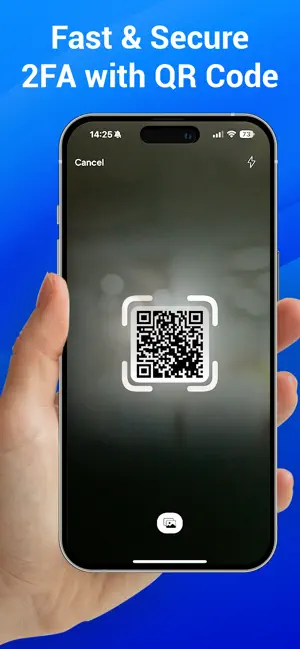
Every shipping app on the App Store has gone through the same decisions you're working through right now: which screenshot goes first, what caption sits over it, which device frame to show, what color the background should be. The 6 screenshots above are Authenticator App | 2FA Auth's answers to those questions — they're public, they're real, and they made it through Apple's review.
Notice the first screenshot in particular. It's the one users see in search results and on the product page, and it's where most apps spend their best caption and tightest design. Look at the proportion of background to phone, where the text sits, what one thing the image is trying to communicate.
Want to see how other Utilities apps approach the same problem? Browse more Utilities apps in the showcase.
Take what works into your own screenshots
Open LaunchShots and design your App Store & Google Play screenshots — pick a device frame, drop captions, ship in minutes. Free, in your browser.
Open the screenshot editor →