Screenshots


Icon palette
About this app
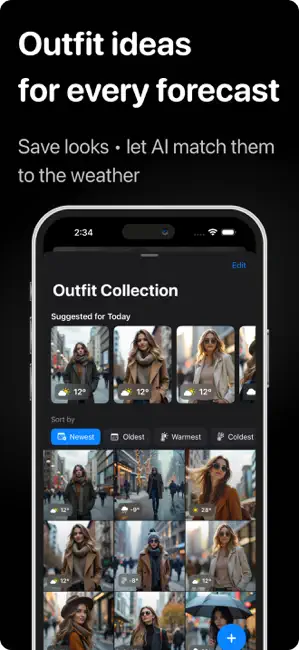
Weather App Your Ultimate AI-Powered Weather & Outfit Advisor! Stay stylish and prepared, no matter the weather, with Weather—the app that combines live weather updates with personalised outfit suggestions tailored to your location, preferences, and daily forecast. Key Features: - Live Weather Forecasts – Get up-to-date weather information for your current location and saved locations worldwide. Access highs, lows, and feels-like temperatures to plan your day with ease. - AI-Powered Outfit Recommendations – Our advanced AI suggests ideal outfits based on current and upcoming weather, so you’re dressed right every day. Find matching outfits for every temperature and climate! - Personal Outfit Collection – Build your unique Outfit Collection by adding favourite outfits, complete with photos. Weather analyses past outfits and matches them to similar conditions, so you get accurat…
App details
What you can learn from Weather & Outfit Planner
Every shipping app on the App Store has gone through the same decisions you're working through right now: which screenshot goes first, what caption sits over it, which device frame to show, what color the background should be. The 3 screenshots above are Weather & Outfit Planner's answers to those questions — they're public, they're real, and they made it through Apple's review.
Notice the first screenshot in particular. It's the one users see in search results and on the product page, and it's where most apps spend their best caption and tightest design. Look at the proportion of background to phone, where the text sits, what one thing the image is trying to communicate.
Want to see how other Weather apps approach the same problem? Browse more Weather apps in the showcase.
Take what works into your own screenshots
Open LaunchShots and design your App Store & Google Play screenshots — pick a device frame, drop captions, ship in minutes. Free, in your browser.
Open the screenshot editor →