Screenshots




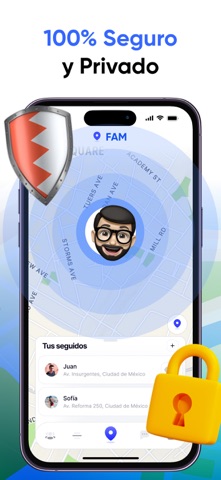
Icon palette
About this app
Familia, Amigos y Rastreador de Teléfonos FAM te ayuda a mantenerte conectado con seguimiento de ubicación en tiempo real para familias y amigos. Ingresa un número de teléfono para localizar al instante a tus seres queridos y rastrear sus movimientos durante el día. Características: Seguimiento de ubicación en tiempo real Usuarios y ubicaciones ilimitados Historial de ubicaciones Alertas instantáneas de llegada/salida Buscador de teléfonos perdidos Actualizaciones del estado de la batería Mensajes dentro de la aplicación Solicitudes de rastreo Acceso Premium Desbloquea rastreo ilimitado, uso sin anuncios y funciones avanzadas con Premium. Detalles de Suscripción: Las suscripciones se renuevan automáticamente y el precio varía según la ubicación. Se aplicarán cargos después del período de prueba gratuito, a menos que la renovación automática se desactive en la configuración. Polític…
App details
What you can learn from FAM: Rastreador Familiar
Every shipping app on the App Store has gone through the same decisions you're working through right now: which screenshot goes first, what caption sits over it, which device frame to show, what color the background should be. The 5 screenshots above are FAM: Rastreador Familiar's answers to those questions — they're public, they're real, and they made it through Apple's review.
Notice the first screenshot in particular. It's the one users see in search results and on the product page, and it's where most apps spend their best caption and tightest design. Look at the proportion of background to phone, where the text sits, what one thing the image is trying to communicate.
Want to see how other Lifestyle apps approach the same problem? Browse more Lifestyle apps in the showcase.
Take what works into your own screenshots
Open LaunchShots and design your App Store & Google Play screenshots — pick a device frame, drop captions, ship in minutes. Free, in your browser.
Open the screenshot editor →