Chart position — tracked daily by LaunchShots
Screenshot changes — detected by LaunchShots
Screenshot style breakdown
Sampled from 6 of SOS An ninh trật tự CATP HCM's App Store screenshots — background, accent and theme, measured by LaunchShots (not something Apple publishes).
#FCFCCC bg
#DDDDB3
#047C2C accent
#111111 text
Screenshots
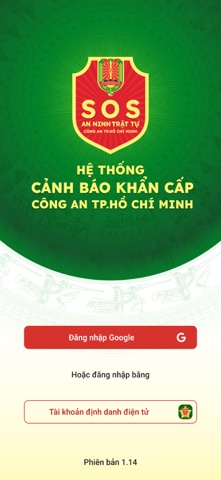


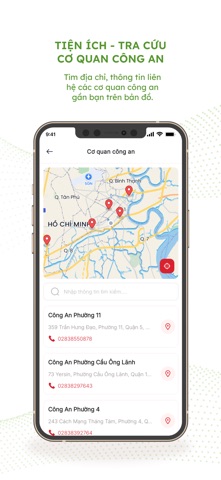


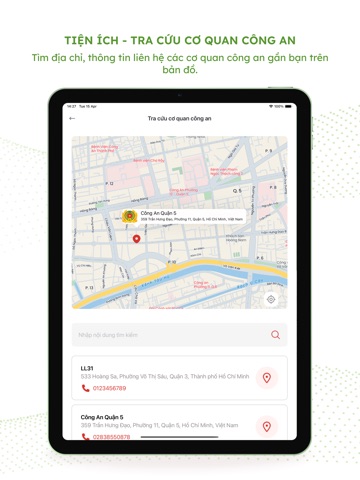
iPad screenshots
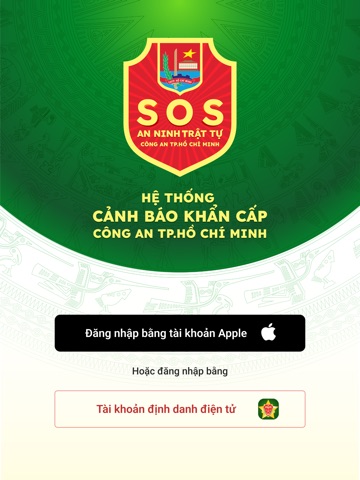

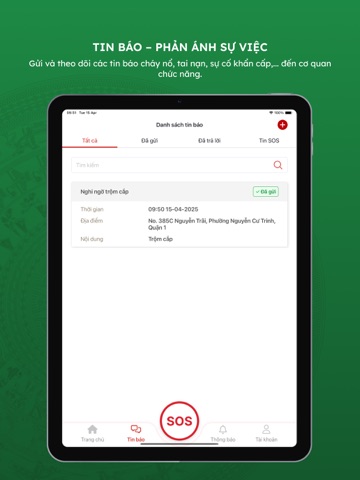



Icon palette
About this app
Ứng dụng SOS An ninh trật tự CATP HCM thuộc bản quyền của Công an Thành phố Hồ Chí Minh ủy quyền cho Tổng công ty Công nghệ - Viễn thông Toàn Cầu là doanh nghiệp trực tiếp phục vụ Quốc phòng, an ninh theo theo Quyết định số 1609/QĐ-TTg của Thủ tướng Chính phủ được phép đăng tải các ứng dụng lên kho Apple Store theo giấy ủy quyền số 01/HĐUQ/2025. Ứng dụng SOS An ninh trật tự CATP HCM do Công an Thành phố Hồ Chí Minh phát triển dựa trên nền tảng cơ sở dữ liệu an ninh trật tự, phục vụ cung cấp các thông tin an ninh trật tự từ người dân đến Công an Thành phố Hồ Chí Minh, hướng đến chuyển đổi số quốc gia, hiện đại hóa lực lượng Công an nhân dân. Ứng dụng SOS An ninh trật tự CATP HCM áp dụng dành cho Công dân Thành phố Hồ Chí Minh. Ứng dụng SOS An ninh trật tự CATP HCM là kênh giao tiếp giữa Công dân và lực lượng Công an Thành phố Hồ Chí Minh, triển khai giải pháp tiếp nhận trực tuyến, giúp n…
App details
What you can learn from SOS An ninh trật tự CATP HCM
Every shipping app on the App Store has gone through the same decisions you're working through right now: which screenshot goes first, what caption sits over it, which device frame to show, what color the background should be. The 18 screenshots above are SOS An ninh trật tự CATP HCM's answers to those questions — they're public, they're real, and they made it through Apple's review.
What the numbers say: SOS An ninh trật tự CATP HCM runs a mixed light-and-dark set where the background shifts from screenshot to screenshot (first shot #FCFCCC) — each image has to stand on its own, so the captions carry more of the story. The accent colour we picked up, #047C2C, is the one to reuse for badges, arrows and highlighted words if you borrow this look. Hit Use this style to open the editor with these exact colours and drop your own screenshot in.
Notice the first screenshot in particular. It's the one users see in search results and on the product page, and it's where most apps spend their best caption and tightest design. Look at the proportion of background to phone, where the text sits, what one thing the image is trying to communicate.
Want to see how other Utilities apps approach the same problem? Browse more Utilities apps in the showcase.
Take what works into your own screenshots
Open LaunchShots and design your App Store & Google Play screenshots — pick a device frame, drop captions, ship in minutes. Free, in your browser.
Open the screenshot editor →Apps with a similar look
Closest background + accent colours among the listings we've analysed — useful when you want to see the same palette handled by a different team.