Screenshots




Icon palette
About this app
Stay No Contact when the urge to text your ex hits. No Contact AI helps you track your streak, resist impulses, and move on after a breakup with an AI breakup coach, daily check-ins, private reminders, and Lock Screen widgets that keep your progress visible. Whether you are getting over a breakup, moving on after a divorce, or trying to leave a toxic relationship, the No Contact Rule is easier to follow when you have structure, accountability, and support in the moments willpower is not enough. STAY NO CONTACT Track your No Contact streak in days, hours, minutes, and seconds. - See your streak grow in real time - Add No Contact widgets to your Lock Screen and Home Screen - Celebrate milestones like 24 hours, 7 days, and 30 days - Reset without shame and understand what triggered the slip - Keep your progress visible when you need the reminder most RESIST THE URGE TO TEXT YOUR EX Wh…
App details
What you can learn from Zero Contact - No Contact AI
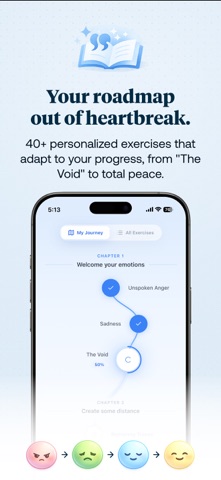
Every shipping app on the App Store has gone through the same decisions you're working through right now: which screenshot goes first, what caption sits over it, which device frame to show, what color the background should be. The 6 screenshots above are Zero Contact - No Contact AI's answers to those questions — they're public, they're real, and they made it through Apple's review.
Notice the first screenshot in particular. It's the one users see in search results and on the product page, and it's where most apps spend their best caption and tightest design. Look at the proportion of background to phone, where the text sits, what one thing the image is trying to communicate.
Want to see how other Lifestyle apps approach the same problem? Browse more Lifestyle apps in the showcase.
Take what works into your own screenshots
Open LaunchShots and design your App Store & Google Play screenshots — pick a device frame, drop captions, ship in minutes. Free, in your browser.
Open the screenshot editor →