Screenshots

Icon palette
About this app
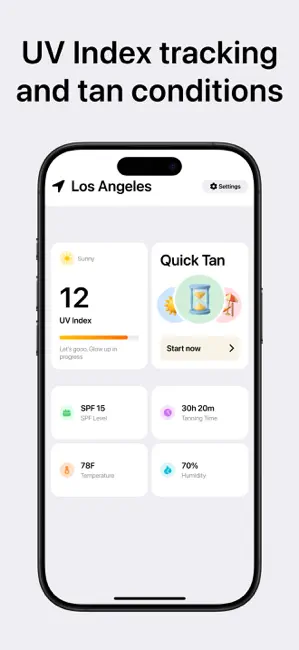
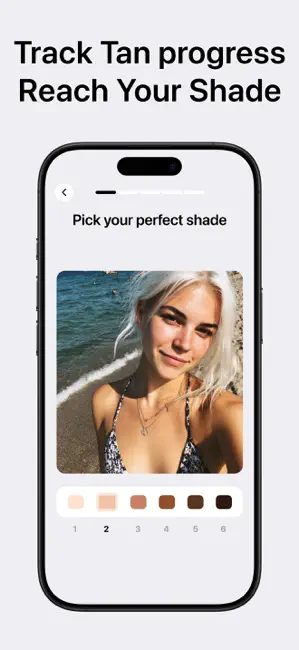
Sunglow - Your Personal Tanning Routine Sunglow helps you achieve the perfect tan with a personalized plan based on your skin type, location, and UV index. Whether you’re going for a subtle glow or a deeper shade, Sunglow gives you safe, effective guidance every step of the way. Features: - Personalized tanning routines based on your skin tone and local UV levels - Smart session timers for front, back, and break times - Daily SPF recommendations for safe tanning - Progress tracker to monitor your tan development - Real-time UV index alerts and weather-based adjustments - Custom reminders so you never miss a session or reapply moment Reach your ideal shade, safely and confidently. Sunglow takes the guesswork out of tanning. TERMS https://coloring-app-todl4.ondigitalocean.app/sunglow/terms PRIVACY https://coloring-app-todl4.ondigitalocean.app/sunglow/privacy
App details
What you can learn from Sunglow: Tan, SPF, UV Index
Every shipping app on the App Store has gone through the same decisions you're working through right now: which screenshot goes first, what caption sits over it, which device frame to show, what color the background should be. The 3 screenshots above are Sunglow: Tan, SPF, UV Index's answers to those questions — they're public, they're real, and they made it through Apple's review.
Notice the first screenshot in particular. It's the one users see in search results and on the product page, and it's where most apps spend their best caption and tightest design. Look at the proportion of background to phone, where the text sits, what one thing the image is trying to communicate.
Want to see how other Weather apps approach the same problem? Browse more Weather apps in the showcase.
Take what works into your own screenshots
Open LaunchShots and design your App Store & Google Play screenshots — pick a device frame, drop captions, ship in minutes. Free, in your browser.
Open the screenshot editor →