Screenshots




Icon palette
About this app
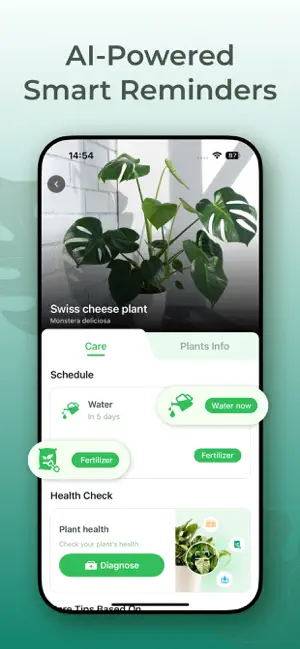
Your Ultimate Smart Gardening Companion! Identify • Diagnose • Nurture • Grow Discover the joy of perfect plant care - the most advanced AI-powered gardening assistant. Designed for both expert gardeners and budding plant parents, our app transforms your smartphone into a 24/7 botanist in your pocket. Key Features: ■ Instant Plant Identification Snap a photo to identify 20,000+ plants—flowers, trees, succulents, herbs, and more—with cutting-edge AI accuracy. ■ Smart Plant Diagnosis & Treatment Spotted yellow leaves or weird spots? Get instant pest & disease detection with expert-backed solutions to save your plants. ■ Complete Plant Care Encyclopedia Access detailed guides on light, water, temperature, and fertilizer needs for every plant in your collection. ■ Personalized Care Reminders Never forget to water, repot, or fertilize again! Set custom alerts tailored to each plant’s ne…
App details
What you can learn from Plant Identifier & Plant Care.
Every shipping app on the App Store has gone through the same decisions you're working through right now: which screenshot goes first, what caption sits over it, which device frame to show, what color the background should be. The 6 screenshots above are Plant Identifier & Plant Care.'s answers to those questions — they're public, they're real, and they made it through Apple's review.
Notice the first screenshot in particular. It's the one users see in search results and on the product page, and it's where most apps spend their best caption and tightest design. Look at the proportion of background to phone, where the text sits, what one thing the image is trying to communicate.
Want to see how other Lifestyle apps approach the same problem? Browse more Lifestyle apps in the showcase.
Take what works into your own screenshots
Open LaunchShots and design your App Store & Google Play screenshots — pick a device frame, drop captions, ship in minutes. Free, in your browser.
Open the screenshot editor →