Screenshots



Icon palette
About this app
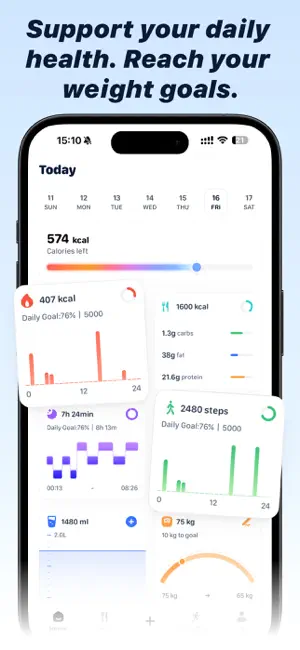
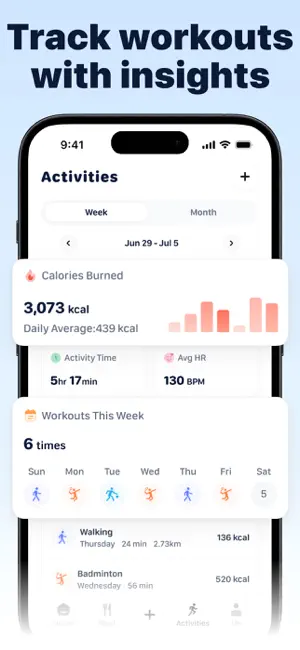
Orea 是一款用来帮你记录饮食摄入与运动消耗热量、并基于你个人目标动态调整每日热量建议的健康管理应用,无论你想减肥还是保持身材,Orea 都可以更科学、高效的助力你达成目标。 借助强大的 AI 智能模型与权威食物信息库,仅需拍摄一张照片,Orea 即可帮你识别食物热量及营养结构,并根据你的整体目标及当日的饮食结构给出科学的建议。 不只是简单地记录数据,Orea 还会结合你的目标体重、当前体重变化趋势、近期热量摄入与消耗情况,动态调整每日推荐摄入,通过科学、个性化的饮食与运动管理,帮助你更高效、健康的达成体重目标。 ** 主要功能 ** - 拍照识别卡路里:基于 AI 大模型与权威食物库信息,仅需一张照片,即可自动识别食物热量与营养信息; - 运动记录同步与分析:运动记录自动同步(支持手动添加),详细分析你的每一次运动表现,直观展现热量消耗、运动强度、心率及有氧区间等信息; - 身体健康状态追踪:支持卡路里消耗与摄入、睡眠状态、行走步数、饮水、体重等健康数据的追踪与回顾,了解自己的能量摄入、消耗与状态恢复,养成健康好习惯; - AI…
App details
What you can learn from Orea - 拍照识别卡路里,追踪你的饮食摄入和运动消耗热量
Every shipping app on the App Store has gone through the same decisions you're working through right now: which screenshot goes first, what caption sits over it, which device frame to show, what color the background should be. The 6 screenshots above are Orea - 拍照识别卡路里,追踪你的饮食摄入和运动消耗热量's answers to those questions — they're public, they're real, and they made it through Apple's review.
Notice the first screenshot in particular. It's the one users see in search results and on the product page, and it's where most apps spend their best caption and tightest design. Look at the proportion of background to phone, where the text sits, what one thing the image is trying to communicate.
Want to see how other Health & Fitness apps approach the same problem? Browse more Health & Fitness apps in the showcase.
Take what works into your own screenshots
Open LaunchShots and design your App Store & Google Play screenshots — pick a device frame, drop captions, ship in minutes. Free, in your browser.
Open the screenshot editor →