Screenshots



Icon palette
About this app
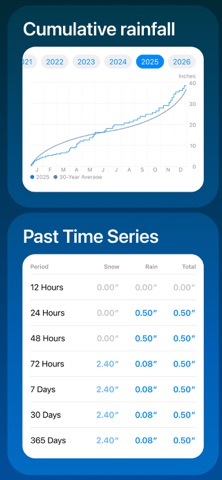
Rain Gauge Pro is your all-in-one rain gauge and rain tracker right on your phone. No need to buy a physical rain gauge – our app uses rain radar and precipitation data to give you precise rainfall totals for any location. Features: Rain gauge in your pocket – instantly see daily rainfall totals Rain radar maps – track where rain is falling right now Rain alarm alerts – get notified when rain is nearby Rain tracker history – view rainfall by day, week, month, or year Precipitation insights – compare current rain with long-term averages Multiple locations – track rain at your home, farm, jobsite, or favorite trail Why choose Rain Gauge Pro? Simple and clear design — easy to use for everyone Accurate and reliable data from radar, weather stations, and models Perfect for gardening, farming, construction, sports, hiking, and event planning Download Rain Gauge Pro today and always know …
App details
What you can learn from Rain Gauge Pro
Every shipping app on the App Store has gone through the same decisions you're working through right now: which screenshot goes first, what caption sits over it, which device frame to show, what color the background should be. The 6 screenshots above are Rain Gauge Pro's answers to those questions — they're public, they're real, and they made it through Apple's review.
Notice the first screenshot in particular. It's the one users see in search results and on the product page, and it's where most apps spend their best caption and tightest design. Look at the proportion of background to phone, where the text sits, what one thing the image is trying to communicate.
Want to see how other Weather apps approach the same problem? Browse more Weather apps in the showcase.
Take what works into your own screenshots
Open LaunchShots and design your App Store & Google Play screenshots — pick a device frame, drop captions, ship in minutes. Free, in your browser.
Open the screenshot editor →